Desktop digital signage defined
Desktop digital signage is a managed display endpoint used on a desk, counter, reception position, service point, or wall near a public interaction area. Unlike a general-purpose monitor that depends on a local computer, a production endpoint combines a panel or all-in-one display, a fixed-factor playback system, power management, enclosure or mounting hardware, and remotely operated content software. The procurement question is not whether a screen can show a video; it is whether the endpoint can maintain its schedule, recover from network or power interruption, produce auditable playback records, and fit the installation environment.
The term “desktop” describes a form-factor and use case, not a single technical category. A countertop menu board, a hospital room door sign, a classroom OPS module, and a battery-powered outdoor display can share the desktop-signage operating model while requiring different thermal, power, connectivity, and mounting designs. The supplied DataMax portfolio demonstrates this separation: the range includes an OPS player, a movable 43-inch outdoor display, a 15.6-inch wall-mounted retail or hotel unit, a two-sided healthcare sign, and a 43-inch interior healthcare display. Specifications not present in the production data remain open engineering items rather than inferred features.
- Define the operating objective: wayfinding, queue information, menu or product communication, internal notice, advertising, or interactive service.
- Define the physical form factor: countertop, wall-mounted portrait, wall-mounted landscape, double-sided corridor, OPS-inserted display, or movable outdoor unit.
- Define the operating envelope: indoor controlled environment, semi-protected entrance, high-temperature interior, or weather-exposed outdoor installation.
- Define the service model: manually managed local playback, network-managed CMS operation, or centrally supervised fleet operation.
- Define the evidence model: firmware revision, serial number, content version, playback result, alarm history, and site acceptance record.
Business context and ROI logic
Digital signage ROI is operational rather than purely promotional. In a retail network, the measurable outcomes may include reduced print handling, faster campaign changes across stores, fewer menu or price inconsistencies, and higher visibility for a defined product message. In hospitality, the endpoint can reduce manual updates at reception and provide a controlled wayfinding channel. In healthcare and education, consistency, privacy, accessibility, and service continuity may outweigh advertising metrics. A procurement evaluation should therefore separate financial return, operating cost, risk reduction, and user-experience outcomes.
| Vertical | Primary task | Measured operational outcome | Main design risk |
|---|---|---|---|
| Retail and QSR | Product, price, menu, promotion, queue communication | Change lead time, campaign uptime, print replacements avoided, message consistency | Brightness, reflected light, frequent content updates |
| Hospitality | Welcome, amenity, event, room or floor wayfinding | Front-desk workload, guest assistance, update errors | Appearance, noise, 24-hour availability |
| Healthcare | Door identification, department direction, queue number, visitor guidance | Wayfinding errors, response time, staff interruptions | Privacy, cleaning, electrical safety, acoustic disturbance |
| Education | Classroom information, notices, schedule, shared display | Teacher setup time, lesson continuity, device utilization | OPS compatibility, account management, classroom security |
| Government and kiosk | Public information, forms, queue and service status | Availability, transaction completion, support visits | Vandalism, network segmentation, accessibility |
| Enterprise and window displays | Internal communications and street-facing campaigns | Message governance, fleet visibility, campaign turnaround | Ambient light, thermal load, ingress protection |
A business case should record the number of endpoints, content changes per month, average on-site service interventions, expected operating hours, and criticality of each site. These values permit a practical comparison of manual distribution versus centralized CMS operation without assigning an unsupported price or savings figure to any DataMax product.
- Inventory the existing estate by screen size, orientation, power location, network access, mounting type, and operating hours.
- Classify each endpoint as revenue-facing, public-service, internal, interactive, or wayfinding.
- Define content owners, approval roles, escalation paths, and maximum acceptable recovery time.
- Baseline manual interventions and campaign turnaround before deployment.
- Review the result after 30, 60, and 90 days using uptime, playback success, alarm closure time, and user feedback.
System architecture: player, display, edge, and CMS
A managed signage deployment has at least four layers: the physical endpoint, the playback agent, the content-management layer, and the monitoring/operations layer. The playback agent should receive a signed or access-controlled content package, validate local storage and display state, execute the schedule, and return a health result. The CMS should manage assets, playlists, zones, groups, and permissions. The monitoring layer should distinguish device offline, CMS offline, content download failure, playback failure, thermal alarm, storage exhaustion, and application crash.
| Architecture | Advantages | Limitations | Recommended use |
|---|---|---|---|
| Player plus separate display | Player replacement without panel replacement; flexible screen sizing | More cabling, synchronization and mounting work | Multi-screen installations, high-maintenance sites, retrofit projects |
| All-in-one display | Fewer external components, simplified installation | Integrated compute may limit repairability or replacement | Single-screen rooms, counters, hotel and hospital corridors |
| OPS-style player in display | Standardized display slot and potential compute separation | Mechanical, electrical and OS compatibility must be verified | Classroom and enterprise displays requiring modular compute |
| Edge-managed CMS | Central scheduling, device groups, alarms, audit data | Network design, identity and cloud/vendor dependency | Fleet of more than several endpoints |
| Local or USB-distributed playback | Useful during WAN outage or constrained installation | Manual content loading and fragmented reporting | Small sites, temporary installations, fallback path |
Network segmentation should place endpoints in a dedicated signage VLAN or security group. Permit only required CMS, DNS, time, update, and monitoring destinations; deny general workstation access by default. Management credentials should be unique per device or fleet group, rotated through a documented procedure, and stored outside the playback endpoint. If the CMS is unavailable, the local agent must continue the last authorized schedule and retain an auditable offline state.
DataMax hardware selection matrix
The following comparison uses only the supplied DataMax product data. A dash means the value is not supplied in the source record, not that the feature is absent. Product #262, #272 and #274 have only descriptive product records in the supplied material, so their detailed specifications must be confirmed against the production datasheet. No unlisted SoC, Android version, brightness, ingress rating, or port capability has been added.
| Product / intended use | Compute and memory | OS and media | Display and duty data | Connectivity and I/O | Mechanical/environmental data status |
|---|---|---|---|---|---|
| #262 OPS-Compliant Android Digital Signage Player for Smart Classrooms | No detailed data supplied | Android status and codec data require datasheet confirmation | OPS role is stated; panel dimensions, brightness, touch and VESA are not supplied | Interfaces are not supplied | Confirm OPS mechanical, electrical, OS, thermal and certification requirements against production datasheet |
| #272 Waterproof Movable 43-inch Outdoor Digital Signage with Battery | No detailed data supplied | Media playback, OS and update method require datasheet confirmation | 43-inch outdoor format and battery mobility are stated; brightness, duty cycle and ingress rating are not supplied | Connectivity and I/O are not supplied | Waterproof claim, battery chemistry, charge time, operating temperature, wind loading, stability and IP rating require production-datasheet confirmation |
| #274 15.6-inch Wall-Mount Digital Signage for Retail and Hotels | No detailed data supplied | OS, codecs, DRM and update method require datasheet confirmation | 15.6-inch wall-mount format is stated; resolution, brightness, touch and orientation require confirmation | Connectivity and I/O are not supplied | Wall load, VESA pattern, bezel, power, operating temperature and ingress protection require confirmation |
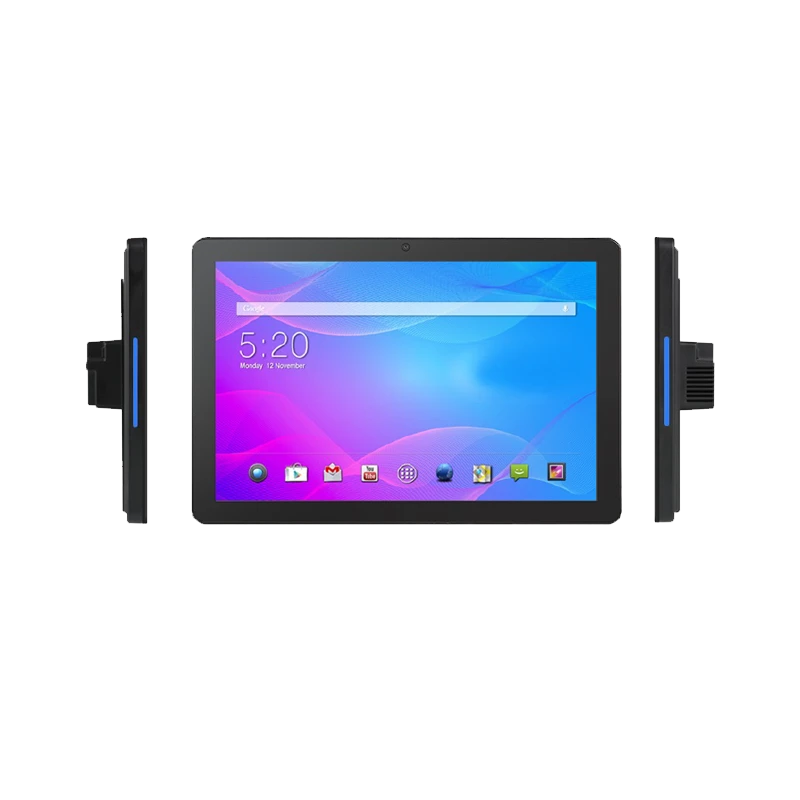
| #275 DP810R, 8/10-inch two-sided healthcare door sign | Rockchip RK3566 quad-core Cortex-A55; 2GB DDR, 4GB optional; 32GB eMMC | AOSP Android 11; H.265/H.264/VP9 4K 60fps decoding; H.265/H.264 1080P 60fps encoding | 10.1-inch IPS; 1280×800 or 1920×1200; 16h/7d stated screen time; 10-point touch; optional 5MP camera | 2.4G/5G Wi-Fi, BT 5.0; 100M LAN, 1000M optional; 12V/2A; RJ45 with PoE optional; TF up to 128GB; RS485; Type-C; 1×3W speaker | 16:9 aspect ratio; dimensions, brightness, IP rating, VESA, temperature and humidity require datasheet confirmation |
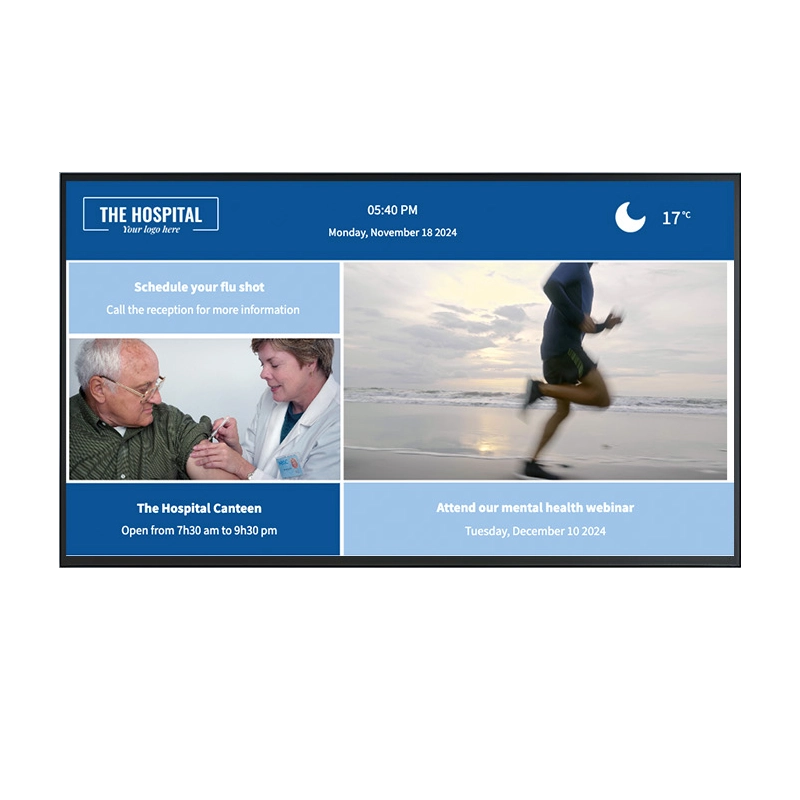
| #276 DS43H, 43-inch interior healthcare/hospital display | Hi3751 quad-core 32-bit Cortex-A53; ARM Mali-T450 GPU; 1GB DDR; 8GB flash | AOSP Android 9; listed decoding formats include H.264, MPEG, AVS+, VC-1, VP9 and FHD 60fps | 43-inch TFT LED; 1920×1080 maximum; 16:9; 300 cd/m²; 1500:1; 6ms; 89° views; 50,000-hour reliability claim; operating 0–50°C | 100V–240V AC, ≤85W; 100M LAN, 1000M optional; HDMI; LVDS; 4× USB 2.0 host; TF update; remote management and grouping stated | 989×578.5×60.3mm; 941×530mm active area; black panel/silver frame; humidity 5–90% RH non-condensing; storage temperature 20–60°C; confirm production interpretation |


Display engineering for indoor and window installations
Brightness selection must be based on measured illuminance, viewing angle, screen orientation, content type and maintenance interval. A 300 cd/m² panel may be adequate for many indoor applications, but it cannot be assumed adequate for a high-illuminance retail window or direct sunlight. Procurement should request a minimum brightness specification, a maximum ambient-light test condition, a usable viewing-angle specification, and a defined measurement method. The DS43H supplied data states 300 cd/m², 16:9, 89° views in all four directions and 1500:1 contrast; these figures should be validated against the production sample.
| Installation class | Engineering baseline | DataMax evidence | Validation requirement |
|---|---|---|---|
| Controlled indoor | Define lux, contrast, viewing distance, operating hours and screen orientation | DS43H: 300 cd/m²; DP810R: 10.1-inch IPS with 16h/7d stated screen time | Readability test at planned mounting height and content luminance |
| Window or bright entrance | Measure direct sun, reflected light, window film and thermal exposure | #274 and #272 descriptions do not supply brightness or ingress data | Confirm brightness, viewing-angle behavior, temperature and condensation controls |
| Outdoor | Specify IP rating, sealed enclosure, UV resistance, wind loading, drainage and pole/ground stability | #272 is described as waterproof and battery-powered | Require test reports and battery safety evidence; do not infer an IP number |
| Healthcare corridor | Account for cleaning, impact, infection-control procedures and long operating duration | DS43H states 50,000-hour reliability and 0–50°C operation | Confirm cleaning compatibility, ingress protection and warranty interpretation |
Form factor affects the installation method. Landscape is normally appropriate for menus, schedules and wide video; portrait is useful for door signs, directories and vertical advertisements; an L-shaped or multi-panel desktop arrangement can improve visibility but requires alignment, service access and cable management. DP810R has a 16:9 panel and is described as a two-sided healthcare door-sign product, but the supplied record does not state its external dimensions or exact mounting arrangement. Touch capability is explicit for DP810R at 10 points. Touch on a DS43H is not specified and must not be assumed.
- Confirm VESA pattern, wall-fix load, mounting plate material, cable exit direction and service clearance before ordering.
- For portrait rotation, verify whether the CMS and playback agent rotate content, video and touch coordinates correctly.
- For sealed outdoor equipment, distinguish water ingress protection from condensation control; both affect long-term reliability.
- For touchscreen use, specify glove, wet-finger and continuous-touch requirements because the supplied data does not define them.
Connectivity, security, offline playback and failover
Connectivity should be selected from the operating requirement, not from the broadest available interface. Ethernet is preferred for fixed indoor endpoints where the installation budget supports structured cabling. Wi-Fi is useful for retrofit locations where cable routing is restricted, but it requires survey, channel planning, roaming evaluation and credential protection. Cellular is appropriate for temporary, movable or remote installations, subject to carrier coverage, SIM provisioning, data-control costs and signal testing. No DataMax product record in the supplied material confirms a 4G or 5G modem, so cellular support must not be assigned to a specific model without the production datasheet.
| Link | Use case | Required controls | Failure behavior |
|---|---|---|---|
| Wired Ethernet | Fixed indoor, hospital, retail and classroom endpoints | Signage VLAN, port security, DHCP reservation or static addressing, monitored switch | Continue last authorized schedule; retry CMS connection; report LAN alarm |
| Wi-Fi | Retrofit and mobile displays | Enterprise WPA2/WPA3 policy where supported, VLAN mapping, RF survey, certificate or PSK management | Use local cache; suppress repeated connection attempts; retain playback evidence |
| 4G/5G LTE | Remote, temporary or outdoor endpoints | Carrier approval, APN, SIM lockout, data cap, antenna location, surge and lightning review | Continue offline; alert by SMS or secondary path if designed; log signal state |
| USB or TF update | Staged installation, isolated network, recovery | Signed package, checksum, version rollback, authorized removable-media process | No automatic update; require local intervention and audit trail |
DP810R explicitly lists 2.4G and 5G Wi-Fi with BT 5.0, 100M LAN with 1000M optional, Type-C data, RS485, and a TF slot supporting up to 128GB. DS43H explicitly lists 100M LAN with 1000M optional, four USB 2.0 host ports, HDMI, LVDS and TF-card system update. The optional designations must be treated as configuration-dependent and confirmed against the production datasheet.
- Create a logical network diagram showing CMS, DNS, time, update, monitoring, guest Wi-Fi and corporate-data segments.
- Apply least-privilege firewall rules to the signage endpoint and test both authorized and unauthorized destinations.
- Provision a local content cache and verify that a network loss does not interrupt the current playlist.
- Simulate CMS, WAN, LAN and power loss separately; record recovery time and missing-playback behavior.
- Confirm that device time is synchronized and that schedule changes are deterministic after restart.
Content operations and playback scheduling
CMS selection should be evaluated against asset workflows, schedule semantics, device groups, user permissions, offline behavior, reporting, API support, logging and service ownership. A CMS that can upload a file is not necessarily suitable for fleet operation. The operating model should distinguish editorial approval from device administration: content editors may publish approved campaigns, while operators update device groups, users, network settings and alarms.
| CMS function | Required behavior | Acceptance question |
|---|---|---|
| Asset ingestion | Validate resolution, codec, duration, file size and naming | Does the platform reject unusable content before publication? |
| Playlist scheduling | Calendar, time zone, priority, recurrence, exception and blackout rules | Can one schedule be tested against a simulated clock? |
| Device grouping | By site, building, floor, orientation, campaign or exception | Can a single update target 1, 10 or 1,000 devices with an audit record? |
| Proof of play | Start, end, success, error, version, device and timestamp | Can support distinguish attempted playback from verified playback? |
| Offline mode | Last-known-good content, local queue and status reporting | What content remains after 24 hours without CMS connectivity? |
Screen layouts should be designed before deployment. Landscape 16:9 templates are appropriate for wide information panels; portrait templates require separate safe areas and text sizing; two-sided door signs may require synchronized but non-mirrored content; multi-panel L-form installations require a master layout and a defined failure state if one panel is unavailable. DS43H explicitly lists video feeds, graphics and text areas, crawling text, logo placement, date/time/day, weather and live image/video feeds. These features should be validated against the actual CMS and production Android image rather than assumed to be universally available.
- Maintain a content standard naming convention, for example
site-building-screen-orientation-campaign-date. - Use a 10% to 15% title-safe margin for text-heavy content where the display specification requires it.
- Define minimum font size using the viewing distance and measured pixel density rather than an arbitrary visual preference.
- Test video frame rate, aspect ratio, audio channel behavior and color rendition on each panel family.
- Record a content checksum, CMS release identifier and player receipt status for each campaign.

Worked sizing example for a 24-site rollout
Consider a mixed enterprise program with 24 locations: 12 reception or meeting-room displays, 8 classroom or training displays, and 4 temporary retail or event displays. The acceptance target is a minimum of 99.5% scheduled-playback success during the first 30 days, with a defined recovery objective of 15 minutes for a single endpoint and 60 minutes for a site-level network incident. These are project assumptions, not DataMax specifications; validate them against the operating contract.
| Sizing variable | Calculation | Result | Engineering implication |
|---|---|---|---|
| Total endpoints | 12 + 8 + 4 | 24 | License, serial-number, spares and monitoring scope must cover all endpoints |
| Indoor fixed endpoints | 12 + 8 | 20 | Prioritize Ethernet where available; survey Wi-Fi where retrofit |
| Temporary endpoints | 4 temporary displays | 4 | Define transport, charging, SIM or offline-content process; cellular support remains model-specific |
| 30-day availability target | 30 × 24 = 720 hours; 99.5% permits 3.6 hours total unavailability | 3.6 hours fleet budget | Alarm response and spare logic must prevent an accumulation of hidden failures |
| Spare allowance | 24 × 1 of 4 devices = 6; 24 × 2 of 4 = 12 | 6 or 12 | Select based on service-level response, not only price |
A practical hardware allocation would use a fixed indoor display where touch or integrated enclosure is not required, an OPS player only where the display’s mechanical and electrical interface is confirmed, and a weather-protected movable model only where outdoor exposure is a stated requirement. DP810R is a candidate for a healthcare door-sign subproject because its supplied record includes 10-point touch, two-sided healthcare positioning, RS485 and local media options; its enclosure, ingress, brightness and mounting data still require confirmation. DS43H is a candidate for a 43-inch interior healthcare corridor because its record identifies 300 cd/m², 1920×1080, 0–50°C operation, remote management and grouped display functions, while its non-touch status and installation load must be verified.
Deployment profiles by vertical
Retail and QSR
Install countertop or wall displays where customer sightlines are short and messages change frequently. Use Ethernet at permanent counters where possible; use Wi-Fi only after an RF survey. Power should be installed in or near the mount, with cable strain relief and an accessible disconnect. Reflected store lighting must be measured before selecting brightness. Vandalism risk is higher at low-height counter units, so consider a rigid enclosure, tamper-resistant fasteners and a replacement plan. For an outdoor window display, verify direct-sun performance, temperature, water ingress, condensation and the visibility of the final artwork rather than relying on an indoor brightness figure.

Hospitality and reception
Reception displays should be visible from the entrance, quiet enough for conversation and positioned to prevent unauthorized access. Ethernet and structured cabling are preferred for permanent installations. Power and network paths should be coordinated with the property electrical standard, and the display should not obstruct emergency egress. Use a defined low-volume or muted audio policy where audio is supported. For a 15.6-inch wall-mounted unit such as product #274, verify the final bezel, wall load, resolution, brightness, orientation, power input and CMS support against the production datasheet before specifying it for a lobby.
Healthcare and hospital
Healthcare screens face stricter cleaning, privacy and service-continuity requirements. A door sign should show only the minimum information required for routing and should not expose patient data through cached screens, notifications or unprotected remote access. Lock the playback UI, disable unused inputs where possible and separate signage management from clinical systems. Power circuits should follow the facility’s electrical and medical-support requirements as assessed by the local integrator. DP810R’s optional camera requires an explicit privacy review; if a camera is unnecessary, the order should exclude it rather than accept a default configuration. DS43H’s stated remote management should be tested with role separation, password policy and audit logging.
Education and OPS
Classroom deployments require account isolation, teacher-accessible display control, firmware stability and a defined recovery path for classroom interruptions. The OPS player described in product #262 may be suitable for a smart-classroom architecture, but the actual OPS mechanical, electrical, Android and certification requirements must be confirmed against the production datasheet. A classroom screen should not expose broad file browsing, unrestricted browser access or a shared administrator account. Separate student, teacher and device-management roles; schedule updates outside teaching periods; and test boot after a forced power interruption.
Government, kiosk and window display
Public kiosks require physical anchoring, tamper resistance, accessible controls, predictable boot behavior and a recovery mechanism that does not depend on an on-site technician. Window displays require brightness and thermal measurements under actual solar conditions. Cellular connectivity may be appropriate for temporary public-information deployments, but carrier coverage, SIM security and local regulations must be reviewed. No specific DataMax model in the supplied data confirms 4G or 5G capability; require that evidence before ordering cellular hardware.

Reliability, thermal design and operational cost structure
Reliability is an operating requirement, not only a component specification. A 24/7 endpoint needs a thermal path, stable power input, scheduled restart or memory discipline if required by the software, and remote visibility into temperature, storage, application and network state. The DS43H record states a 50,000-hour reliability figure and an operating range of 0–50°C, but the test conditions, warranty meaning and production interpretation must be confirmed. A stated screen time of 16h/7d for DP810R describes its supplied duty context; it does not establish that every deployment is 24/7 capable.
| Cost or risk category | Included items | Measurement method | Control action |
|---|---|---|---|
| Power and electrical | AC input, DC adapter, cable losses, surge and outlet maintenance | Measure current, voltage, temperature and connection security | Specify supported input; prevent daisy chaining; provide service disconnect |
| Thermal | Chassis, panel heat, ambient temperature, ventilation path | Record maximum internal temperature during content and peak brightness | Use sealed enclosure only with measured thermal headroom |
| Connectivity | Ethernet, Wi-Fi, SIM, access point, switch and firewall policy | Measure link uptime, latency, packet loss and CMS recovery | Use Ethernet where practical; maintain local offline playback |
| Service | Truck roll, replacement, firmware, CMS subscription and spare units | Record alarms per endpoint per month and mean time to repair | Stage spares by site risk; monitor remotely before dispatch |
| Content | Production, approval, translation, media storage and reporting | Measure update lead time and playback-success rate | Use templates, validation rules and versioned releases |
- Maintain a spare-unit register with serial number, firmware, location, charger, remote and mount status.
- Use remote diagnostics for uptime, last heartbeat, storage, app version, temperature where exposed and CMS task result.
- Define a power-failure policy that preserves the last authorized playlist and avoids boot loops.
- Perform scheduled visual and thermal inspections at a frequency based on duty cycle and site dust or cleaning conditions.
- Track replacement rate by model, site, failure code and firmware version; a rising rate may indicate thermal or content-pipeline failure.
Total-cost ownership should be modeled without unsupported monetary figures. The calculation structure is:
TCO = hardware acquisition + mounting and installation + network and power work + CMS and licensing operations + content production + preventive maintenance + failure recovery + replacement spares + decommissioning.
For procurement, each term should carry an owner and a measurable unit such as endpoint, site visit, month, terabyte or engineer-hour. Validate all commercial assumptions in the quotation; do not treat a manufacturer specification as a service commitment.
Certification, compliance evidence and OEM process
Compliance evidence must match the exact production model, configuration, firmware and destination market. Typical evidence packages include electrical safety, EMC, environmental, radio and RoHS or substance documentation, plus declarations, test reports, labels, user documentation and quality records. The evidence matrix should identify whether a certificate covers the final SKU, the SoC module, the finished display or only a component. For wireless products, radio approval depends on the exact radio band, antenna and final configuration. No certification status is supplied for products #262, #272, #274, #275 or #276 beyond the environmental statement attached to DS43H, so certification claims require documentary confirmation.
| Evidence package | Required record | Procurement gate |
|---|---|---|
| Product identity | Model, revision, serial range, hardware version and firmware baseline | Reject a certificate that cannot be mapped to the ordered configuration |
| Electrical and EMC | Applicable test reports, declarations and labeling | Confirm standards and market before ordering |
| Radio | Band, antenna, modem or module approval and configuration evidence | Confirm 4G/5G claims before including cellular variants |
| Environmental | Temperature, humidity, IP and mechanical test records | Outdoor claim requires test conditions, not a marketing label alone |
| Packaging and substances | Material declarations, packaging documentation and transport handling | Match destination-country requirements and packaging revision |
OEM and ODM controls should cover bezel or frame color, logo, boot screen, firmware, preloaded CMS agent, packaging, accessories and bundled power or mounting hardware. Freeze these items in an approved golden sample and a version-controlled bill of materials. Changes to panel, SoC module, power supply, firmware branch, antenna, enclosure or CMS agent can affect certification, thermal behavior and compatibility; they require formal review.
- Define the target application, market, screen orientation, installation environment and required certifications.
- Issue an RFQ with mechanical drawings, electrical limits, firmware baseline, CMS expectations, accessory list and test requirements.
- Compare samples by serial number; record display, touch, connectivity, boot time, thermal behavior, remote functions and packaging.
- Run pilot units through 72-hour continuous playback, network interruption, power interruption, content validation and environmental checks appropriate to the declared duty cycle.
- Approve the golden sample, production firmware, test method, packaging artwork, inspection level and change-control process before mass release.
- Use AQL sampling only with an agreed standard, defect classes, sample size, lot definition and disposition authority. AQL is not a substitute for 100% functional checks on critical boot, power, network and playback paths.
RFP scoring and ordered procurement decision tree
The RFP should ask for evidence, not adjectives. A weighted score works only if each response has a measurable acceptance condition and a named evidence source. The weights below are a starting framework and must be adapted to the deployment profile.
| Criterion | Weight | Required response | Evidence test |
|---|---|---|---|
| Application fit and mechanical design | 20% | Dimensions, mounting, orientation, service clearance, environmental fit | Drawing and physical sample comparison |
| Display and touch performance | 15% | Brightness, resolution, viewing angle, touch points, readability | Measured sample test |
| Playback and CMS compatibility | 20% | OS, codecs, agent, schedule, offline cache and reporting | End-to-end demonstration |
| Connectivity and security | 15% | Ethernet, Wi-Fi, SIM if claimed, VLAN controls, authentication | Configuration review and fault test |
| Reliability and service | 15% | Duty-cycle evidence, thermal data, diagnostics, spares and RMA process | Continuous test and service plan |
| Compliance and lifecycle | 15% | Applicable certifications, change notification, firmware support and documentation | Document audit |
Apply the decision tree in this order:
- Is the endpoint exposed to weather or condensation? If yes, require a documented IP and environmental test package before comparing indoor models.
- Does the display require touch or interactive input? If yes, verify touch points, controller behavior, glove/wet-use requirements and optical treatment.
- Is the screen subject to direct sun or high ambient light? If yes, require measured brightness and viewing-angle evidence at the actual orientation.
- Is the installation permanent? If yes, prefer wired Ethernet where practical and require a mount load and service-clearance review.
- Does the site lack fixed connectivity? If yes, evaluate Wi-Fi or cellular separately; require a model-specific modem, antenna and SIM statement.
- Does the fleet exceed 10 endpoints or span multiple sites? If yes, require CMS grouping, role-based access, offline mode, reporting and remote diagnostics.
- Does the application require hospital, classroom or public-sector controls? If yes, require documented identity, privacy, update and recovery controls.
- Can the supplier provide production evidence for the exact SKU? If no, place the model on hold until the datasheet and compliance package are complete.
Acceptance and testing matrix
Acceptance should be executed with a production-representative sample, the approved firmware image, the production CMS tenant and the intended mounting configuration. Record device serial number, operator, date, software versions, network address, content release and test evidence. A display that passes a bench test but fails after wall mounting, high ambient light or repeated power cycling has not completed site acceptance.
| Test | Procedure | Pass criterion | Evidence retained |
|---|---|---|---|
| Visual and mechanical | Inspect bezel, panel, mounts, cables, labels, controls and fasteners | No damage, unsafe gap, loose fastener or inaccessible connector | Installation checklist and photographs |
| Boot and identity | Power-cycle; verify serial number, firmware, time and CMS enrollment | Correct identity and automatic enrollment within the agreed time | Console or CMS screenshot |
| Content playback | Play image, text, video, audio and any interactive page | Correct orientation, frame rate, text clipping and audio behavior | Content test record |
| Schedule | Test calendar, recurrence, exception, blackout and time-zone behavior | Each item begins and ends at the approved time | CMS schedule export |
| Network failover | Disable WAN and LAN path separately for 24 hours where practical | Current authorized playlist continues and state is reported | Heartbeat and playback log |
| Power recovery | Interrupt AC or DC input during playback and restart | No unauthorized content; predictable recovery without corruption | Power-failure test record |
| Thermal | Run 72 hours at maximum approved content brightness | No shutdown, unacceptable lag or documented thermal alarm | Temperature and event log |
| Remote management | Change group, retrieve status and acknowledge an alarm | Correct target scope and audit event | User, timestamp and result |
- Verify every screen against the approved content release rather than only the first item in a playlist.
- Run touch calibration and blocked-touch checks where touch is claimed; DP810R states 10-point touch.
- Test the full permitted network path, including captive portals and DNS behavior, before sign-off.
- Photograph the installed endpoint and preserve the final serial-number-to-location mapping.
Troubleshooting table
Troubleshooting should follow a fixed sequence: confirm power, confirm panel and backlight, confirm network, confirm playback agent, confirm content package, then confirm CMS state. Swapping hardware before collecting evidence can destroy the root-cause record and invalidate the failure-rate analysis.
| Symptom | First checks | Likely class | Action |
|---|---|---|---|
| Black panel but device is online | Backlight, display input, brightness, content layer, panel cable | Display or playback | Use panel test pattern, inspect input and replace cable before replacing the unit |
| Screen shows black or unchanged content after update | CMS release, local cache, file path, codec, authorization | Content validation | Compare content checksum and run a local media test |
| Device offline intermittently | Link state, DHCP, VLAN, RF survey, cable, switch port | Connectivity | Capture timestamps, test wired path, review event logs and inspect RF coverage |
| Wrong time or schedule after restart | Time sync, time zone, RTC, DST and CMS policy | Configuration | Correct time source and replay a boundary-condition schedule |
| Overheating or shutdown | Ambient temperature, ventilation, brightness, sealed enclosure, fan status | Thermal | Reduce load for diagnosis and verify the declared operating range |
| Touch ignored or misaligned | Touch cable, controller, rotation, calibration, wet surface | Interaction | Run touch-grid test and verify orientation in the production layout |
| Outdoor unit will not boot after rain or condensation | Seal, drainage, connector, ingress test evidence and power state | Environmental | Disconnect safely, inspect service points and escalate for enclosure assessment |
| CMS shows playback error but screen looks correct | Reporting agent, timestamp, heartbeat and content version | Telemetry | Correlate screen capture, CMS log and local report; do not close until reconciled |
DataMax selection boundary and OEM handoff
DataMax should be evaluated as an OEM/ODM hardware partner against the approved deployment architecture, not as a substitute for site engineering. The supplied records support four concrete positions: an OPS-compliant Android player for smart classrooms; a waterproof movable 43-inch outdoor display with battery; a 15.6-inch wall-mounted unit for retail and hotels; and healthcare-oriented displays including DP810R and DS43H. For every position, the procurement package should request a production datasheet, mechanical drawing, test report, firmware baseline, accessory list, CMS compatibility statement and lifecycle statement.
The OEM handoff should include a frozen hardware revision, approved logo and bezel treatment, display panel specification, power supply, mounting hardware, packaging artwork, serial-number convention, factory test record, user manual, firmware signing process and PCN contact. Any substitution of display, SoC, memory, wireless module, power supply or enclosure must be evaluated for electrical, thermal, mechanical, certification, CMS and warranty effects. If the supplier changes a component after approval, the buyer should have a documented acceptance or rejection path.
Expert FAQ
What is desktop digital signage?
Desktop digital signage is a managed digital-display endpoint positioned on or near a desk, counter, reception area or public service point. It combines a screen, playback hardware, power, connectivity, mounting and content software so that scheduled content can be updated and monitored without a local user interaction at every change.
Should a procurement use a player or an all-in-one display?
Use a player plus separate display when compute must be replaced independently, screen sizes vary, or service access favors a modular installation. Use an all-in-one display when the enclosure, compute, panel and installation are designed as one maintained product. The decision must include cable length, service clearance, thermal load, synchronization and replacement cost.
Is an OPS player suitable for a classroom?
It can be, because product #262 is described as an OPS-compliant Android digital-signage player for smart classrooms. Before approval, confirm the exact OPS mechanical, electrical, Android, firmware, thermal and certification requirements against the production datasheet, then test boot, touch, HDMI or display-interface behavior and classroom security.
How bright should a window display be?
There is no universal value. Brightness must be selected from measured ambient light, direct sun, viewing angle, screen orientation, content type and acceptable maintenance interval. The DS43H record states 300 cd/m² for a 43-inch interior display, but that figure must not be transferred to a high-illuminance window without a site test.
Can the DataMax outdoor display be specified from its product description alone?
No. Product #272 is described as a waterproof movable 43-inch outdoor digital-signage display with battery, but the supplied record does not provide IP rating, operating temperature, battery chemistry, charge time, wind loading, brightness, connectivity or test conditions. Confirm those items against the production datasheet and test reports.
What network should digital-signage players use?
Use a dedicated signage VLAN or security group with least-privilege access to the CMS, time, DNS, updates and monitoring services. Ethernet is preferred for permanent endpoints where cabling is practical; Wi-Fi or cellular requires its own security, coverage, SIM and outage procedures. Confirm model-specific interface support before finalizing the design.
What should happen when the CMS or internet fails?
The player should continue the last authorized local schedule, maintain correct device time, avoid repeated failed downloads and report its offline state when connectivity returns. Acceptance testing should simulate CMS, WAN and LAN failures separately and confirm that playback and audit records continue as specified.
What evidence should be collected before mass deployment?
Collect the production datasheet, serial-number mapping, firmware baseline, mechanical drawing, mounting and power details, display and touch measurements, codec test, schedule test, offline test, power-recovery test, thermal test, remote-management test, applicable compliance records, packaging approval and PCN process. A sample demonstration without model and revision evidence is not sufficient for fleet approval.
Engineering handoff
For a controlled rollout, provide the application profile, endpoint count, screen dimensions, orientation, mounting drawings, ambient-light measurements, operating hours, power and network locations, CMS requirements, touch or weather requirements, compliance destination and acceptance target; an engineering review can then map those constraints to a documented model, pilot plan, test matrix and RFQ without assuming unverified DataMax specifications.