The installation pose decides the hardware before the quotation does
The wrong belief is that a “vertical L display” is mainly a panel with an unusual shape. It is not. The installation pose determines the mechanical envelope, power route, cable direction, viewing distance, thermal assumptions, content orientation, and service-access procedure before a processor is selected. The correct frame for a vertical l display setup is an installation engineering decision that the electronics configuration must support.
For a procurement team, the decisive question is whether the unit is a portrait tablet-shaped L-display sign, a larger landscape signage panel adapted to an L-shaped structure, or a separate player installed behind that structure. These are different supply packages. A buyer who asks only for an “L-shaped display” can receive a complete panel with the wrong SoC, RAM, storage, decoder, brightness, power input, or mounting geometry. A buyer who asks for “L-shaped” as a visual description while omitting the required dimensions can also approve a quotation that cannot be installed.
The short answer is to freeze six lines before comparing models: panel and enclosure dimensions, portrait or landscape orientation, exact display resolution and brightness, AC or DC power method, signal and network interfaces, and playback software profile. Then match the platform to the duty cycle and installation environment. DataMax offers several relevant platforms, but they serve different roles: DP104R is the direct portrait L-shape desktop-sign candidate; DS43H is a larger wall-signage candidate; DP810U suits compact self-service kiosks; DP02L serves bedside infotainment rather than retail L-signage.
No model should be treated as compliant for a specific venue until the production datasheet and purchase order agree. Ask DataMax to state every conflicting SKU field in writing, including OS version, RAM/ROM, panel orientation, radio version, and power configuration. A vertical l display setup succeeds at procurement when the evidence identifies the exact SKU, its installation constraints, and its field-test method.
Verification you can ask for on paper
Factory control must be traced to the delivered configuration rather than summarized as “factory tested.” The useful evidence chain starts with component inspection, continues through assembly and automated optical inspection, and ends with the finished unit running in its final build. For every line, the buyer should identify the inspection point, sample rule, recorded result, and release criterion.
- Incoming verification Confirm the panel, SoC, memory, power module, wireless module, and display assembly against the approved SKU and purchase order before SMT.
- SMT and AOI evidence Request inspection records for the production lot, including detected defects, disposition, and the approved rework limit.
- Assembly verification Review firmware flashing, port population, display bonding, cable routing, enclosure fit, and the final assembled-unit checklist.
- Functional and aging tests Define the runtime sample and test duration for the specific OS build, display orientation, playback sequence, network reconnection, and touch response.
- Dark-room and audit evidence Require display output verification under the specified conditions, then correlate serial number, hardware revision, software build, and final carton label.
A generic “QC passed” statement is not enough for a vertical l display setup, because panel calibration, USB loading, Ethernet behavior, and continuous playback can fail independently of a successful electrical inspection. The RFQ should require records that connect the tested serial number to the shipment configuration.
Paper test: request one redacted evidence bundle containing the approved configuration sheet, SMT/AOI inspection record, functional test record, aging record, display test method, and serial-number-to-carton audit trail. Require confirmation that the evidence came from the same product revision and build.
The acceptance specification should be operationally precise. For display verification, define whether the factory tests black level, uniformity, dead pixels, color, or only image output; the phrase “panel tested” does not identify the method. For aging, state the playback source, duration, ambient condition, and pass/fail rule. For certification, name the certificate, holder, device model, and validity scope rather than accepting a badge image. For a vertical l display setup, the release gate should also include a portrait-content image proving orientation and an electrical load test using the power method specified in the PO.
A practical example is a hospitality sign with a daily playlist, 1080p portrait artwork, Ethernet service access, and overnight power cycling. The evidence request should identify whether the unit was run with the production playlist, whether the same Wi-Fi or Ethernet profile was configured, and whether the recorded serial number can be reconciled with the carton label. A separate sample test can validate touch calibration, but it cannot replace lot-linked records for the shipped units.
The buyer should also define who accepts the result. Production quality can document the test, while the buyer or integrator confirms that the acceptance script matches the intended installation. That division prevents a technically valid factory test from being interpreted as approval of a missing connector, an inaccessible service port, or a power arrangement that differs at the site. Keep the original drawing, test record, and accepted SKU under one configuration reference so that an engineer can audit the chain without relying on a salesperson’s recollection.
Entry tier versus commitment tier
A low-cost quotation and a production-ready programme rarely differ only in price. The difference appears in configuration control, verification depth, software responsibility, documentation, and change management. Compare the bill of differences explicitly before deciding which quote can carry repeated-volume deployment.
| Procurement element | Entry tier | Commitment tier | Buyer evidence |
|---|---|---|---|
| Configuration basis | Generic model family or catalogue image | SKU-specific production datasheet | Fields match across quotation, PO, carton, and firmware |
| Panel definition | Screen size and “L-shaped” description | Resolution, orientation, brightness, dimensions, and tolerance | Mechanical drawing and approved sample |
| Electrical supply | Unspecified adapter or onboard input | Input voltage, current, connector, and cable route fixed | Electrical drawing and PO line |
| Software | Basic playback only | Versioned image, update path, app package, and recovery method | Build number, package, and acceptance script |
| Quality evidence | Summary statement or isolated sample | Lot-linked inspection and test records | Serial-number audit trail |
| Change control | Informal substitutions | Written approval before BOM or firmware change | Signed change record |
| Support responsibility | Sales-mediated handoff | Named technical escalation and defect workflow | Support matrix and response route |
The entry tier can be appropriate for a controlled pilot, a low-consequence internal sign, or a disposable event installation. It is weak where firmware drift, thermal interruptions, content loss, or unplanned replacement affects operations. The commitment tier is appropriate when the same vertical l display setup will be replicated across sites and support cannot visit every location.
A middle path is to place a narrow pilot order against written acceptance criteria, then convert lessons into the production specification. The pilot should use the proposed production hardware, power arrangement, playback application, enclosure, and content—not a simplified demonstration unit. Otherwise, the pilot validates the showroom rather than the field design.
The comparison also exposes different ownership boundaries. An entry-tier quotation may leave the buyer responsible for media conversion, app integration, enclosure drawings, and field recovery. A commitment-tier quotation assigns those items more explicitly, but only if the responsibility matrix names an owner and an acceptance artifact. A statement such as “customer supplies playback app” is incomplete until it identifies the package format, API expectations, update method, test account, and person who approves a crash or reboot defect.
Do not interpret “OEM” or “ODM” as a complete quality system. These labels describe a commercial relationship, not a test method. Ask for artifacts tied to the actual order. For a DataMax programme, the engineering team can translate the installation constraints and playback role into an RFQ with defined verification evidence; see DataMax inquiry and include the approved mechanical drawing, electrical input, orientation, playback duties, and required factory records in the first message.
The mechanism behind the specification
An L-shaped installation separates content geometry from processor capability. The display provides the visible canvas; the compute platform supplies boot, rendering, decode, storage, connectivity, input, and service access. The physical L pose may be achieved by two adjoining panels, one shaped enclosure, or a player hidden inside a fabricated structure. Each arrangement changes the mechanical, thermal, and service design.
Resolution and pixel orientation must be specified independently. A panel may support 800×1280 or 1200×1920 in portrait while the content pipeline still renders 16:9, and a touchscreen can remain physically portrait even if application manifests default to landscape. The RFQ should therefore define the native portrait resolution, permitted letterboxing or crop behavior, safe areas, touch mapping, camera orientation, and recovery behavior after power loss.
Decode capability is a separate constraint. DS43H supports 1080P@60 and VP9 10-bit, with no 4K or AV1 support stated. DP104R supports H.265/H.264/VP9 4K@60 decode and 1080P encode. A media plan that assumes 4K playback on DS43H would therefore conflict with its documented capability. The same rule applies to DRM: absence of a DRM statement is not permission to specify a protected-content workflow.
Connectivity also determines serviceability. RJ45 100M is present on several candidate devices; DP02L lists RJ45 1000M with PoE optional. USB count and type, TF capacity, audio interfaces, Wi-Fi, and Bluetooth can affect loading, peripherals, and enclosure access. For a vertical l display setup, specify whether Ethernet is mandatory, whether Wi-Fi is fallback only, whether removable media is permitted in production, and how firmware is updated without opening a public-facing unit.
Thermal design follows placement and duty cycle. DS43H lists a 0–50C operating range, while the other products do not provide an operating-temperature value in the supplied facts. Do not transfer that range to another model. Ventilation, sunlight load, enclosure material, and isolated-off behaviour must be assessed separately. Likewise, “L-shaped” does not itself imply an outdoor, high-brightness, weather-resistant, or kiosk-security rating.
Certification claims need a different control. EDLA, GMS, Widevine, and HDCP can affect deployment, but only the exact certification record identifies the certified model and scope. DP02L lists Widevine L1/HDCP2.2 as optional; no supplied fact supports an EDLA certification claim for it. Confirm against the production datasheet and certificate records before placing a badge or certification requirement in the PO.
The architecture also determines update and recovery routes. A removable TF card can be useful during commissioning, but it can also bypass controlled deployment if the production process permits ad hoc media insertion. An Ethernet-connected unit may support scheduled updates, yet the network policy, proxy, certificate store, and recovery login still require definition. By contrast, a wall-mounted unit behind a fabricated panel may require physical access for every intervention. State whether the buyer expects remote monitoring, remote application control, or only local media replacement before treating either approach as acceptable.
Power architecture is part of the mechanism, not an accessory. A DC12V/2A requirement needs a defined supply, connector, polarity convention where applicable, cable length, and strain relief. A PoE option changes network cabling and switch requirements. The RFQ should identify whether power conversion occurs inside the enclosure or outside it, because an external adapter consumes service space and creates a second failure point. This is particularly important when a low-profile L-shaped structure restricts bend radius, ventilation, or connector access.
The platform shortlist with datasheet values
The shortest path begins with the supplied DataMax platforms, using only the documented production fields. DS43H and DP104R are the principal candidates for the stated L-display use case; DP810U and DP02L are adjacent architectures for self-service and bedside roles rather than automatic substitutes.
| Model | Compute and OS | Memory and media | Display and fit | Interfaces and power |
|---|---|---|---|---|
| DS43H | Hisilicon Hi3751 quad 32-bit A53; Mali-450; AOSP Android 9 | 1GB / 8GB; 1080P@60 + VP9 10-bit; no 4K/AV1 | 43" TFT LED 1920x1080; 300 cd/sqm; 1500:1; 6ms; 89deg; backlight 50,000h; 0–50C; 989x578.5x60.3mm | HDMI in; LVDS in; USB2.0 x4; RJ45 100M (1G opt); DC12V/2A |
| DP810U | Rockchip RK3562 quad A53 up to 1.2GHz; Mali-G52 1-Core-1EE; AOSP Android 11 | 2GB / 16GB, 4GB optional; H.265 4K@60; H.264/VP9 1080P@60; TF x2 up to 128GB | 8"/10.1" capacitive touch; 1280x800 or 1920x1200; 1x3W; bank, government, and hotel desktop self-service kiosk | HDMI out; USB2.0 x2; 3.5mm; RJ45 100M; DC12V/2A; Wi-Fi + BT5.0 |
| DP104R | Rockchip RK3566 quad A55; Mali-G52 1-Core-2EE; AOSP Android 11 or above | 2GB / 16GB, 4GB optional; H.265/H.264/VP9 4K@60 decode; 1080P encode; 8M ISP | 10.1" IPS capacitive touch; portrait 800x1280 or 1200x1920 (9:16); 5MP cam optional; retail, hospitality, portrait L-shape desk sign | HDMI out; USB2.0 x2; TF x2; 3.5mm; RJ45 100M; DC12V/2A; Wi-Fi + BT5.0 |
| DP02L | Rockchip RK3399 dual A72 + quad A53; Mali-T860 MP4; AOSP Android 11 | 4GB / 32GB, 8GB/64GB optional; H.265 10-bit 4K@60; H.264 4K@30; Widevine L1/HDCP2.2 optional | 21.5" capacitive touch; 1920x1080; 16:9 or 16:10; 16h/7d; 8MP camera; 2x3W + mic; 2x headset; hospital bedside care terminal | USB2.0 x1; USB3.0 x2; RJ45 1000M, PoE optional; Wi-Fi + BT5.0; DC12V/3A |
For repeat-volume sourcing, the supplier type changes the control burden. The editorial score below compares four supplier models for programme-management fit, not manufacturing capability in the abstract.

The same figures, in searchable form:
| Supplier type | Editorial score |
|---|---|
| General trader | 28/100 |
| Sourcing agent | 44/100 |
| Single-line factory | 72/100 |
| Full-process OEM/ODM | 89/100 |
These scores are qualitative planning values, not audited measurements. The procurement implication is to select a supplier model whose control mechanisms match the deployment risk. For more decision structure, the TV box vendor selection checklist helps define evidence requests across software, hardware, compliance, and delivery governance.
The platform table should be read as a field-mapping tool, not as a promise that every model can be adapted to every enclosure. DP104R has the stated portrait 9:16 fit for a retail or hospitality desk sign, so it is the first candidate when its mechanical drawing matches. DS43H has a documented 43-inch 1920x1080 panel and a larger wall-signage use case, but it does not provide a stated portrait L-shaped panel. DP810U is aimed at compact self-service kiosk applications, while DP02L provides a 21.5-inch bedside form factor with audio and camera functions. If a buyer needs those functional roles but not the stated signage fit, a different platform should be selected rather than forcing a visual similarity.
Memory options require equal attention. “4GB optional” for DP104R and DP810U is not the same as a standard 4GB configuration, and “8GB/64GB optional” for DP02L is not a standard 32GB memory. Put the selected value on the PO and ask for the firmware image to be tested against that memory configuration. Likewise, “1G opt” on DS43H should remain an option until the network design and SKU are approved.
Where this matters in a deployment
The same visual form can impose different engineering requirements across retail, hospitality, healthcare, and public-service environments. Start with who operates the unit, how often content changes, whether the public can touch it, and whether a failure interrupts a transaction.
| Situation | Primary requirement | Model direction | Procurement focus |
|---|---|---|---|
| Retail portrait desk sign | Portrait touch display and compact enclosure | DP104R | Confirm portrait resolution, 9:16 content fit, camera option, and mechanical drawing |
| Hospitality wall signage | Large fixed-format signage and long playback | DS43H as a candidate | Confirm 1080p content, brightness environment, cooling, and permanent installation |
| Bank or hotel self-service | Touch kiosk workflow and secure service access | DP810U | Define transaction workflow, peripheral loading, recovery mode, and Android build |
| Hospital bedside care | Audio, camera, headset, extended duty cycle | DP02L | Validate patient-service software, networking, power, and optional DRM separately |
| Fabricated L-shaped retail structure | Player-to-panel fit and cable/service access | DP104R if its geometry fits; otherwise specify a separate player | Require assembly drawing, connector locations, ventilation, and service panel access |
For a retail installation, the critical scene is usually the counter or podium: customer viewing distance, payment peripherals, tamper exposure, and daily content replacement. A hospital installation introduces cleaning, privacy, acoustic, and clinical workflow considerations. A hotel or bank kiosk adds transaction security and uptime requirements. The model’s screen size alone cannot determine suitability.
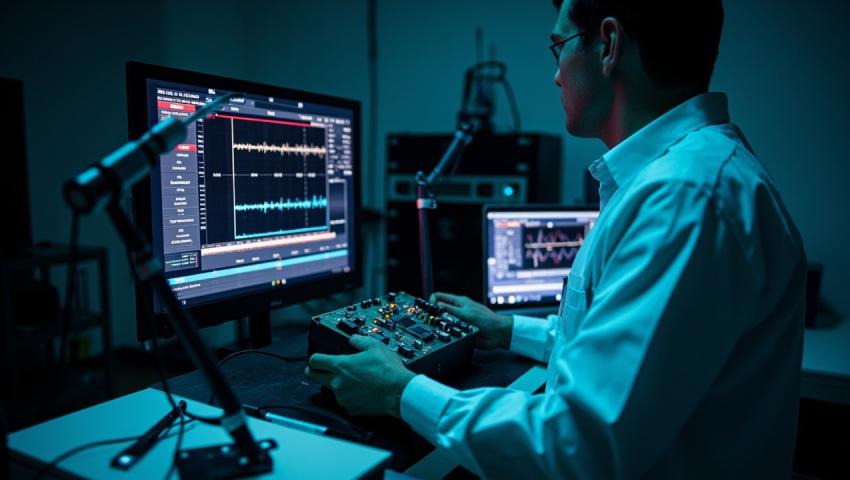
A factory quality-control station provides a useful parallel. The inspector places the finished device into a test jig, checks illuminated indicators, and records the result against the build. That scene illustrates why enclosure fit and cable routing belong in the acceptance plan: a unit that passes electrical testing can still fail because a connector cannot be reached or an L-shaped shell prevents safe service.

The photo is representative of a quality-control operation rather than evidence of a specific DataMax facility. For a vertical l display setup, the buyer should request a sample assembled with the intended enclosure and power arrangement. This verifies ergonomics, connector reach, touchscreen orientation, thermal access, and the time required to replace or recover the unit.
Public-facing deployments also require an operational ownership map. Who updates content? Who applies firmware? Who replaces the unit? Who retains the playback account and certificates? A product that cannot be recovered remotely or quickly may cost more through downtime than through its initial specification. DP104R’s TF slots and USB2.0 can support defined loading workflows, but the approved update mechanism and physical access policy still need to be documented.
Vertical retail signage near a doorway creates another scene-specific issue: ambient light changes throughout the day. The buyer should compare the specified panel brightness with the site lighting rather than infer adequacy from the word “LED.” DS43H’s stated 300 cd/sqm is a datasheet value, not proof of visibility in every installation. Test a representative content image at the intended viewing angle and state the acceptance expectation.
Hospitality and self-service scenes introduce interaction rather than passive viewing. Touch calibration must remain correct after the portrait assembly, and any camera marked optional should not appear in a workflow diagram unless the PO includes it. DP104R’s optional 5MP camera and DP810U’s capacitive touch platform can support specific designs, but neither creates a complete workflow by itself. Transaction applications, peripherals, operator authentication, and recovery procedures remain separate acceptance items.
The selection sequence that removes rework
Turn the installation brief into a controlled sequence. Each step closes a class of error before it reaches the quotation or production order. The output should be a written specification that can be pasted into an RFQ and then mapped to a production datasheet.
- Freeze the geometry State the complete L-shaped assembly, not only the display shape. Include overall dimensions, portrait or landscape orientation, panel mounting position, viewing direction, and service-clearance requirements.
- Freeze the display Specify native resolution, active area, touch requirement, acceptable brightness for the location, colour method, and operating environment. For DS43H, use the documented 1920x1080 and 300 cd/sqm values.
- Freeze power and connectivity Define AC or DC, connector, cable length, Ethernet requirement, USB use, TF use, and camera or audio needs. Treat the 1G option on DS43H as an option rather than a standard.
- Freeze the content workload List codecs, container formats, resolutions, frame rates, protected-content requirements, playlist control, update mechanism, and offline behavior.
- Match the platform Compare the approved specification against the production datasheet for DP104R, DS43H, DP810U, or DP02L. Reject any field that remains materially ambiguous.
- Convert risks into evidence Require configuration confirmation, sample approval, display and functional tests, aging, firmware records, serial-number audit, and any applicable certificate documentation.
- Freeze the PO State the exact model/SKU, production OS, RAM/ROM, panel configuration, wireless version, power option, interfaces, packaging, and change-control rule.
A pasteable RFQ line is: “Supply the SKU specified in the attached mechanical and electrical drawings; use the production OS and hardware shown on the approved datasheet; preserve portrait orientation; provide the named test records; do not substitute panel, SoC, memory, power, or radio configuration without written approval.” Add a second line for software and a third for acceptance evidence.
The first message to DataMax should contain the L-shaped assembly drawing, panel orientation and resolution, electrical supply, playback duties, connectivity, expected environment, deployment quantity, and required certificate or test evidence. Use DataMax sample ordering when physical validation is the next step. Do not fill unresolved fields with “same as photo”; an image cannot define tolerance, connector position, or power method.
The sequence ends with a golden sample, not merely a photograph. Record its configuration, firmware, measurements, test results, accessories, and packaging. Use that sample as the physical and functional reference for production acceptance. This is the practical meaning of a controlled vertical l display setup: every visible and invisible variable has an owner, a value, and evidence.
A useful RFQ template separates the product, software, and verification scopes. Product lines should state the model, native portrait resolution, selected memory, power input, connectivity, and mechanical drawing. Software lines should state the AOSP version, application package, image format, update method, network assumptions, and reboot behavior. Verification lines should state the required playback codec, test duration, display check, connector reach test, serial-number audit, and the person entitled to release exceptions.
The same sequence applies when the display and player are separate. Freeze the panel’s native resolution and interface first, then specify whether the player drives it over HDMI, whether an LVDS panel requires a separate controller arrangement, and whether the cable run introduces a conversion requirement. For DS43H, the documented ports include HDMI in, LVDS in, and HDMI out is not listed; do not infer an output path from the presence of inputs. The data path must be explicit in the assembly drawing.
Failure modes that reach the field
Most field failures originate from an unresolved specification rather than a defective component. The quotation may be technically valid while the assembled unit is unusable in its intended pose. Identify these traps before accepting the PO.
Field trap
Do not treat “L-shaped” as a panel specification. If the player is hidden inside a fabricated structure, wrong connector direction, inaccessible USB or TF slots, insufficient ventilation, or a service panel that cannot be removed can turn an electrically sound order into an unserviceable installation. Freeze the assembly drawing and require a sample installed in the intended enclosure.
A second trap is catalogue-to-datasheet drift. DS43H’s supplied datasheet states Android 9, 1GB/8GB, Hi3751, and 300 cd/sqm; conflicting catalogue values must not enter the PO unless formally offered as an option and fixed per SKU. DP104R’s supplied facts specify portrait 800x1280 or 1200x1920, Bluetooth 5.0, and 2GB/16GB with 4GB optional. DP810U lists Android 11, Bluetooth 5.0, and TF x2. DP02L lists Android 11 and optional Widevine L1/HDCP2.2, while an EDLA badge cannot substitute for a certificate.
Field trap
Do not let the application conceal an electrical mismatch. If the production model requires DC12V/2A but the quote omits the adapter, connector, or supply architecture, the enclosure may need a different cable route. An input label is not proof that the approved site power and installation kit are compatible.
Other field failures follow predictable paths. Portrait content rendered for landscape produces cropping or stretched UI. A codec outside the platform’s documented list stops playback rather than degrading cleanly. Weak Wi-Fi becomes a hidden dependency when Ethernet was intended. A camera option is interpreted as standard even when it is marked optional. Media slots are populated during commissioning but later blocked by policy, leaving no defined update path.
The failure cost is operational rather than abstract. A misoriented UI can require a site visit to change an application manifest. An inaccessible update path can turn a content error into a replacement. A missing optional camera can invalidate a workflow that was tested on a fully equipped sample. A ventilation assumption based on a bare device can become a heat issue only after the unit is enclosed.
Certificates and optional features create a second quotation gap. A protected-content workflow may fail because the selected SKU does not include the stated Widevine L1/HDCP2.2 option. A badge shown in marketing material does not prove that the delivered model and firmware build are within the certificate scope. Write the required certificate record, model coverage, and evidence format into the acceptance plan; do not treat the badge as the test.
A third operational failure is the mismatch between the approved sample and the production delivery. A buyer may accept a sample with a specified portrait panel, then receive a catalogue substitute whose display is landscape or whose memory differs. Prevent this by requiring a configuration report, carton audit, and serial-number match for every production lot. The sample should be retained as the golden reference, and any proposed BOM, firmware, panel, radio, or power change should require written approval before shipment.
These failures carry operational cost through repeated site visits, replacement stock, lost trading time, and inconsistent signage across locations. The control is not a broader description; it is a narrow acceptance gate. Require evidence for every field that can change from sample to production.
For a repeat-volume programme, DataMax engineering can convert the approved geometry and playback duties into a controlled configuration. Submit the drawings, electrical input, and content profile through the inquiry form, and ask for the production datasheet, conflicting-field disposition, factory evidence pack, and golden-sample plan. That closes the gap between a nominal quotation and a vertical l display setup that can be built, installed, tested, and maintained consistently.
Further reading
- Edge computing boxes
- 4K 60fps Android TV box guide
- Rockchip Android TV box guide
- Dolby Vision Android TV box guide
- RFQ checklist for device procurement
- 43-inch hospital digital signage
- Compact kiosk display
FAQ
Does a vertical L-shaped display need a dedicated L-shaped panel?
Not necessarily. It may use adjoining rectangular panels, a shaped display, or a conventional player inside a fabricated L-shaped enclosure. The deciding factors are panel geometry, player placement, service access, cable routing, thermal conditions, and content orientation. Approve the complete assembly drawing rather than selecting from the visual description alone.
Which DataMax model is the closest match for a portrait retail L-sign?
DP104R is the direct candidate because its supplied facts identify a 10.1-inch IPS capacitive touch panel in portrait 800x1280 or 1200x1920, with a stated retail and hospitality portrait L-shape desk-sign fit. Confirm dimensions, enclosure integration, power arrangement, camera option, and production configuration against the datasheet and PO.
Can DS43H run the same 4K content as DP104R?
No. DS43H supports 1080P@60 and VP9 10-bit, with no 4K or AV1 support stated. DP104R supports H.265/H.264/VP9 4K@60 decode. Media must be authored to the selected platform’s documented capabilities, including the container, codec, resolution, and frame rate.
What factory evidence should accompany a production quotation?
Request the approved SKU configuration, SMT and AOI records, functional test results, display-test method, aging record, and serial-number-to-carton audit trail. Evidence should correspond to the same product revision and build. A generic statement that the product is “factory tested” does not establish the test coverage.
Should power be specified as AC or DC in the RFQ?
Yes. State the supply architecture, input voltage and current, connector, cable route, adapter inclusion, and site-availability requirement. DS43H, DP810U, and DP104R list DC12V/2A, while DP02L lists DC12V/3A. Treat this as a configuration-control item because the complete installation may require an adapter or a different enclosure design.
Who should approve the final installation configuration?
The approval should cover mechanical, electrical, software, and operational owners. The fabricator or installer confirms accessibility and fit; the electrical reviewer confirms power; the content owner confirms playback; the operations owner confirms update and recovery procedures; and procurement confirms that every accepted item matches the PO and production datasheet.