

Executive Summary
The best interactive touch panel is not a single display category; it is the architecture that satisfies the application’s touch load, ambient-light condition, installation geometry, connectivity, content-management policy, operating duty cycle, and serviceability. Procurement should separate the touch/display assembly from the compute and content platform unless an integrated product is operationally justified. That separation permits display replacement, player upgrades, CMS changes, and screen-group management without rewriting the entire installation.
- Retail, QSR, hospitality, and window displays: prioritize measured luminance, viewing angle, IPS or stated panel technology, thermal margin, and sunlight-visible content rather than peak brightness alone.
- Healthcare and government kiosks: define touch lifetime, privacy, cleaning resistance, sanitation procedure, physical security, VLAN isolation, and recovery behavior before selecting hardware.
- Education and enterprise collaboration: validate touch latency, multi-touch behavior, pen support, annotation workflow, OPS compatibility, and cable management at the actual desk or wall installation.
- Outdoor, poolside, and transit deployments: require an environmental enclosure or confirmed outdoor rating, temperature-range evidence, surge and lightning protection, condensation control, and a defined service interval.
- Managed screen networks: use a CMS, scheduling policy, offline cache, proof-of-play records, device heartbeat, grouped deployment, and remote recovery rather than evaluating panels only on panel specifications.
- DataMax product fit: DP810U is documented as an 8-inch or 10.1-inch desktop kiosk platform; DM33DS is documented as an Android 14 media player with optional cellular connectivity; confirm all other panel models and the OPS product against their production datasheets.
This guide uses general digital-signage engineering practice for system design and supplied DataMax product records for DataMax-specific claims. Any unlisted DataMax model, dimension, environmental rating, touch lifetime, brightness value, VESA pattern, or certification status must be confirmed against the production datasheet.
Application Context and Business Decision Logic
Interactive touch panels serve different operational objectives across commercial environments. The application determines the required response time, user population, exposure to moisture or impact, content duration, privacy boundary, and acceptable maintenance interval.
| Application | Primary interaction | Design driver | Operational risk | Acceptance evidence |
|---|---|---|---|---|
| Retail and QSR | Menu selection, self-service, queue information, promotions | Fast recovery, readable menu, physical security, kiosk mode | Queue abandonment, accidental exit, spill damage, menu errors | 1000-task interaction test, menu rollback, 24-hour soak |
| Hospitality | Wayfinding, concierge directory, room information, guest services | Low acoustic noise, elegant mounting, remote updates, multilingual content | Guest disruption, stale room data, inaccessible controls | Room-data synchronization test and accessibility check |
| Healthcare | Patient education, check-in, clinical information display | Cleanability, privacy separation, controlled identity, tamper resistance | Patient-data exposure, contamination, accidental navigation | Security-zone review, cleaning SOP, audit-log verification |
| Education | Whiteboard, lesson delivery, collaborative annotation, assessment | Touch accuracy, palm rejection, pen workflow, classroom cable management | Fingerprints, marker residue, blocked ports, teacher lockout | Gesture matrix, pen calibration, lock/unlock test, 8-hour classroom use |
| Government and kiosk | Forms, directory, public information, transaction workflow | High availability, kiosk lockdown, keyboard or peripheral support | Unauthorized navigation, firmware tampering, queue blockage | Policy-lock test, reboot recovery, peripheral integration test |
| Wayfinding and window displays | Directional lookup, promotional playback, orientation | Brightness, contrast, viewing geometry, scheduled content | Reflection, ambient washout, difficult viewing angle | Day/night content legibility and schedule verification |
A defensible ROI case should be expressed through measurable operating outcomes rather than screen size or visual novelty: percentage reduction in manual content updates, change propagation time, queue transaction time, unscheduled downtime, field-service visits per 100 devices, and percentage of sessions completed without operator intervention.
- Baseline the process: record current update cycle, staff labor, device downtime, content-error rate, and support tickets.
- Define target service levels: set maximum content propagation time, maximum recovery time, minimum uptime, and maintenance interval.
- Model the intervention: calculate the monthly operator hours and truck rolls eliminated by remote CMS, grouped deployment, and automatic recovery.
- Validate with a pilot: use at least 10 representative screens or one representative site before volume rollout, then compare measured values with the baseline.
- Scale with acceptance gates: approve hardware only after touch, thermal, network, content, security, and 24/7 reliability tests pass at the production configuration.
System Architecture: Integrated Display or Separate Player
There are 3 principal architectures. Selection follows from mounting constraints, thermal load, touch interface requirements, service access, and content lifecycle.
- Player plus commercial display: a small Android or Linux media player drives a display through HDMI. This architecture separates compute from the panel and permits independent replacement. It usually supports the widest range of touch overlays and display sizes, but requires careful cable, EDID, audio, and touch-USB integration.
- All-in-one interactive display: touch, display, compute, and software are integrated. It reduces external boxes and visible cabling, but a single product failure can replace more components and may constrain repairability.
- OPS-style modular display: a removable compute module is inserted into a compatible display. OPS compatibility must be confirmed against physical, electrical, thermal, OS, and graphics requirements; the term does not prove interoperability without a test.
| Layer | Required function | Procurement evidence | Failure containment |
|---|---|---|---|
| Edge compute | Decode media, render web applications, process touch, run local agents | SoC, RAM, storage, OS build, decode formats, sustained thermal result | Swap player rather than replace display |
| Touch subsystem | Detect touches and communicate over USB or vendor interface | Touch technology, point count, latency, glove/pen requirements, calibration method | Recalibrate or replace touch controller |
| Display subsystem | Present scheduled content at required brightness and geometry | Panel technology, luminance, contrast, viewing angle, color, 24/7 duty evidence | Replace display assembly if modular |
| CMS and control plane | Publish, schedule, group, monitor, and audit content | API, RBAC, offline behavior, proof-of-play, audit retention, export format | Retain last-known-good package on device |
| Network edge | Separate signage traffic from corporate or guest networks | VLAN, firewall, DNS, proxy, certificate, LTE failover behavior | Use local playback when WAN is unavailable |
For managed fleets, the operational data flow is normally CMS authoring → content package → device group → player download → local cache → scheduled playback → playback event → monitoring dashboard. Each transition needs an observable timestamp. A player that displays content but cannot prove what was shown is weaker operationally than a player with deterministic schedules and exportable proof-of-play records.
DataMax Product Comparison for Candidate Architectures
The supplied DataMax records include 4 relevant product references, but only 2 contain detailed hardware fields. The comparison below does not infer missing display, touch, environmental, mounting, or certification specifications.
| DataMax item | Supplied hardware and OS data | Signage relevance | Missing decision data | Procurement status |
|---|---|---|---|---|
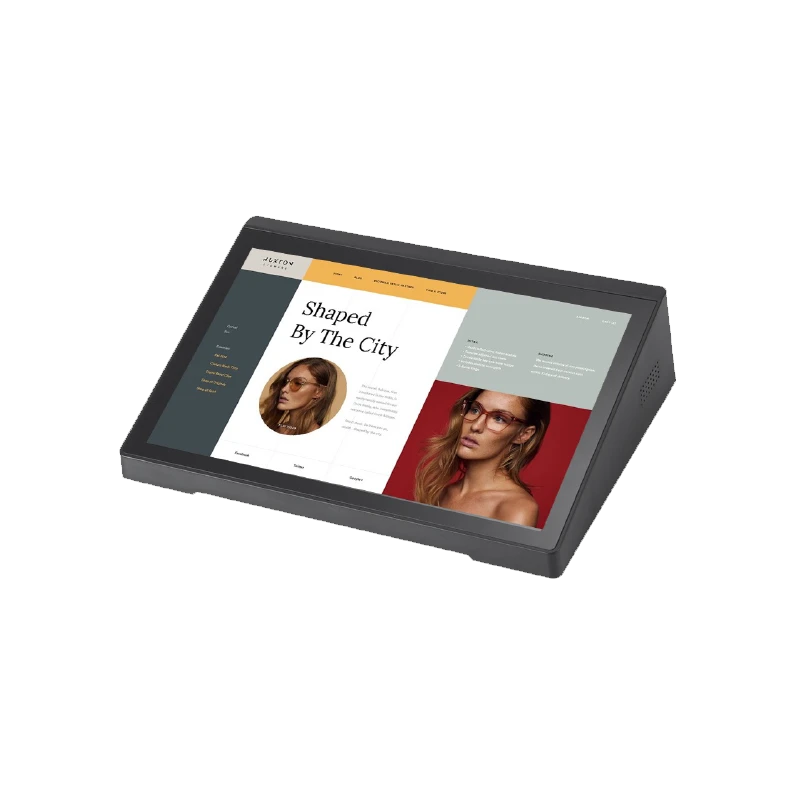
| DP810U, 8-inch/10.1-inch desktop digital signage | RK3562 quad-core ARM Cortex-A53 up to 1.2 GHz; Mali-G52 1-Core-1EE; DDR 2GB, 4GB optional; eMMC 16GB; AOSP Android 11; 1280×800 or 1920×1200; 16:9; capacitive touch; 12V/2A | Desktop kiosk or compact touch terminal for controlled indoor environments | Panel brightness, viewing angle, touch points, touch latency, IP rating, temperature range, VESA, dimensions, weight, warranty | Confirm against production datasheet |
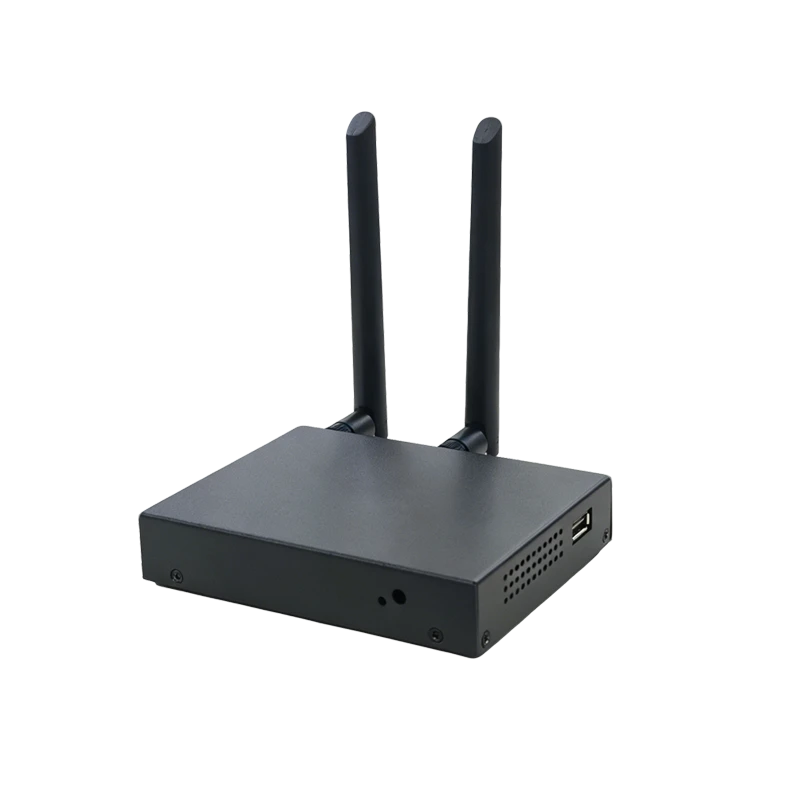
| DM33DS media player | Allwinner H618 quad-core ARM Cortex A53; G31 MP2; DDR4 2GB, 4GB optional; eMMC 16GB, 32GB optional; AOSP Android 14; HDMI 2.0b; WiFi 6 802.11 a/b/g/n/ac/ax 2.4G/5G 2T2R; LTE CAT1 module listed as Quectel EG915N series; optional 5G | Standalone Android player for display and touch-USB integration; cellular option for remote sites | Touch-USB compatibility, display output resolution/EDID behavior, sustained thermal load, IP rating, operating temperature, mounting dimensions | Confirm against production datasheet |
| OPS-compliant Android player, smart classrooms | Only the product title identifies the category and educational use | Potential modular classroom architecture | Model number, OPS standard or form factor, OS version, CPU, RAM, storage, video output, touch interface, network, power, dimensions | Confirm against production datasheet |
| Waterproof movable 43-inch outdoor signage with battery | Only the product title identifies waterproof, 43-inch, outdoor, movable, and battery attributes | Potential temporary or mobile outdoor deployment | Model number, IP rating, ingress test, display brightness, battery chemistry/runtime, charger, temperature range, impact rating, mobility hardware | Confirm against production datasheet |
| 15.6-inch wall-mount signage for retail and hotels | Only the product title identifies 15.6-inch, wall-mount, retail, and hotel use | Potential compact indoor information display | Model number, touch capability, resolution, luminance, VESA, dimensions, power, OS, network, warranty | Confirm against production datasheet |


Display Engineering and Mechanical Selection
Brightness must be specified as measured or manufacturer-rated nits under a stated condition. Peak brightness, white luminance, and usable content luminance are different quantities. Indoor displays near windows may need a higher effective contrast ratio and controlled reflection rather than simply a larger brightness number. Outdoor or semi-outdoor displays require a documented ambient-light strategy, anti-glare treatment, thermal derating, and an enclosure that does not trap heat.
| Environment | Initial design target | Required validation | Main failure mode |
|---|---|---|---|
| Indoor office or meeting room | Approximately 300–500 nits as an illustrative starting range | Measure at production brightness, viewing angle, and room ambient light | Window reflection or overly bright night-time presentation |
| Retail and hospitality interior | Approximately 400–700 nits as an illustrative range | Check menu contrast, color consistency, reflections, and scheduled dimming | Content washout near glazing or entrance |
| Window or semi-outdoor | Approximately 700–1,500 nits as an illustrative range, subject to thermal and budget constraints | Measure under sun, shade, and temperature extremes | Black-level elevation, glare, premature thermal shutdown |
| Exposed outdoor | Do not select from brightness alone | Verify IP rating, temperature range, wind loading, condensation, and service access | Ingress, corrosion, thermal shutdown, vandalism |
Touch selection follows the user interaction. Capacitive touch supports a clean, sealed front surface and fast gestures, but glove operation, wet-finger behavior, and conductive contamination require site validation. Resistive touch supports styluses and gloves but can be less sensitive and more mechanically vulnerable. Infrared and optical touch can simplify large-display integration, yet bezel alignment, dust rejection, calibration, and multi-touch behavior must be tested on the production assembly.
- Touch points: specify the minimum simultaneous contacts required, not merely “multi-touch.”
- Touch latency: measure from physical contact to application response under normal Wi-Fi and graphics load.
- Pen and glove mode: require documented support for the actual stylus, glove thickness, palm rejection, and wet surface.
- Surface: compare optical transmittance, anti-glare coating, chemical-cleaning resistance, scratch behavior, and visible bezel width.
- Mounting: confirm VESA pattern, wall-load rating, tilt/rotation range, cable bend radius, service clearance, and anti-theft hardware.
For portrait, landscape, desktop, or L-shaped installations, record the native panel orientation, supported rotation, active-area dimensions, bezel clearance, and content safe area. Rotating a panel in software does not prove that the housing, touch frame, cooling path, mounting pattern, or power cable supports the final orientation.
Connectivity, Network Segmentation, and Failover
Connectivity should match content criticality. A player with Ethernet is preferable for fixed, high-use sites; Wi-Fi is appropriate where cabling is constrained but needs surveyed RF conditions and controlled credentials; LTE or 5G is useful for temporary, remote, or mobile installations where carrier coverage and data cost are acceptable.
- Fixed high-use site: connect the player and touch controller through the building VLAN dedicated to digital signage. Permit only the CMS, license, time, and update endpoints required by the design.
- Wi-Fi deployment: survey 2.4GHz and 5GHz separately, test the final mounting position, use WPA2/WPA3 according to the network design, and document channel width, RSSI, roaming, and captive-portal behavior.
- Cellular deployment: select a SIM size, APN, private APN where required, IMSI handling, antenna location, and fallback policy. DM33DS data lists a 4G SIM slot and optional 5G; confirm modem bands and carrier approval for the country.
- Guest or retail network isolation: do not place the player on an unauthenticated guest WLAN. Use a separate network segment, firewall policy, and controlled local access.
- Outage behavior: store the approved content package locally, continue the schedule without WAN access, queue events, and synchronize after reconnection.
| Failure condition | Required behavior | Evidence | Recovery target |
|---|---|---|---|
| WAN outage | Continue local playback from cache; avoid repeated restart | Disconnected playback log and content checksum | Auto resume without content loss |
| CMS outage | Retain last-known-good schedule and package | Schedule version and package timestamp | Operator-visible alert; no screen blanking |
| Power interruption | Suppress boot splash; restore schedule and last screen state | Power-cycle test log | Configured recovery within site SLA |
| Touch-USB disconnect | Show a defined diagnostic message or revert to display-only schedule | Touch enumeration and event log | Remote alert or visible fallback |
| Storage full | Enforce cache quota and remove obsolete packages safely | Storage telemetry and package inventory | No unauthorized content loss |
Security evidence should include unique device identity, certificate renewal, role-based CMS access, signed or controlled software updates, secure boot or tamper controls where required, audit logs, and documented password-recovery procedures. Android device models should be treated as Android devices under the organization’s mobile-device management and software-support policy, not as trusted endpoints by default.
CMS, Scheduling, Proof of Play, and Multi-Screen Operations
A CMS is an operational control system, not simply a content library. It must represent devices, groups, schedules, assets, permissions, firmware state, and playback evidence. At minimum, procurement should test the complete workflow from authoring to proof-of-play.
- Asset control: verify supported images, video, HTML, animation, font, codec, and audio formats against the target player rather than relying on a generic CMS compatibility list.
- Scheduling: test one-time, daily, weekly, recurring, exception, sunrise/sunset, and silent-period schedules. Record timezone and daylight-saving behavior.
- Multi-screen groups: assign content by site, zone, room, orientation, or device group; test partial failure without changing every screen.
- Proof-of-play: export device ID, asset ID, schedule ID, start time, stop time, completion state, interruptions, software version, and operator identity.
- Remote operations: verify restart, screenshot where permitted, log retrieval, package rollback, certificate status, storage, temperature, and network telemetry.
| CMS capability | Acceptance method | Pass condition | Commercial risk if omitted |
|---|---|---|---|
| Bulk deployment | Push 100-device package | Every device reports version, checksum, and completion | Manual updates and inconsistent branding |
| Offline continuity | Disable WAN for 2 hours | Approved schedule continues and events queue | Screens blank or lose synchronization |
| Granular rollback | Deploy faulty package to 2 devices | Rollback isolates affected devices | Fleet-wide outage |
| Proof-of-play | Compare dashboard with physical playback | Time and asset records reconcile | Audit disputes and SLA failure |
| RBAC | Test operator, installer, and administrator roles | Unauthorized changes are denied and audited | Accidental or malicious content changes |
For portrait and landscape screens, define a content template with fixed safe areas, font minimums, contrast thresholds, and alternate aspect-ratio outputs. For L-shaped installations, identify whether the L is a continuous physical display, two synchronized displays, or a video-wall composition. Each case has different bezel, calibration, cable, and content implications.
Vertical Deployment Profiles
Retail and QSR Profile
Use a separate signage VLAN, Ethernet where practical, and a kiosk-mode application for menu or self-service flows. Specify anti-fingerprint coatings, shatter-resistant cover glass where required, and a cable route that prevents accidental unplugging. Record ambient light at the cash counter, entrance, and queue zone. The main risks are customer obstruction, grease and liquid contamination, menu versioning errors, and queue congestion.
Hospitality Profile
Place wayfinding displays where guests can approach without entering traffic paths. Use schedule groups for lobby, floor, meeting-room, and restaurant zones. Confirm language fallback and data ownership when room-status feeds originate from a property-management system. Protect the display from cleaning chemicals and guest impact, and specify a replacement path for failed power supplies, media players, and touch controllers.

Healthcare Profile
Separate clinical, patient-facing, and corporate content at the network and CMS-policy layers. Use a privacy-reviewed workflow, disable local browser storage for sensitive applications where required, and document cleaning chemistry. Wall or kiosk mounting should minimize cable exposure and unauthorized access. Do not place patient-identifying content on a shared screen without a documented privacy and consent process.
Education Profile
Education deployments prioritize touch repeatability, classroom lockout, pen support, and service access. A separate OPS-compatible player can reduce replacement scope only after fit, electrical, thermal, and update testing. Mounting should allow cable replacement without removing the entire panel. LMS or identity integration adds authentication, session timeout, and support requirements beyond simple signage playback.

Government, Kiosk, and Window Profile
Public kiosks require kiosk lockdown, tamper-resistant mounting, removable storage controls where appropriate, and a documented recovery image. Window displays require glare and reflection surveys at opening and midday. Outdoor or mobile battery systems require evidence for ingress, temperature, battery charging, transport, and impact; a product title alone is not evidence.

Reliability, Serviceability, and TCO Structure
For a managed network, availability is a system property. A nominal 24/7 display is not sufficient evidence for 24/7 service. Require thermal measurements, component temperature limits, fanless or fan-management details, enclosure temperature data, power-loss behavior, watchdog behavior, and a documented remote-diagnostic procedure.
| TCO element | Engineering metric | How to control it | Verification record |
|---|---|---|---|
| Initial integration | Install labor hours per site | Standardize brackets, cable labels, image, and CMS templates | Site commissioning record |
| Content operations | Minutes per update and error rate | Use groups, templates, approval roles, and rollback | CMS audit log |
| Power and environmental | Energy per screen and thermal shutdown events | Set brightness schedules, use ventilation or enclosure control | Power and temperature telemetry |
| Connectivity | WAN outage minutes and LTE data per device | Cache locally, cap data, and alert on failover | Network event report |
| Service | Truck rolls and MTTR per 100 screens | Remote reset, modular spares, site labels, and preconfigured recovery | Ticket and spare-replacement log |
| End of life | Disposal and data-erasure effort | Define recycling, storage wiping, and component replacement policy | Asset disposition certificate |
Use a spares model based on failure exposure: retain a small number of players, touch controllers, power supplies, brackets, remotes, and mount hardware for critical sites. The spares ratio should be driven by installed-base size, service travel time, and recovery-time objectives, not by a generic percentage. Sealed outdoor units may gain ingress protection but reduce field serviceability; define the maintenance interval and replacement concept before deployment.
- Thermal: record ambient temperature, panel temperature, player temperature, and shutdown behavior at the hottest expected operating period.
- Power: test surge, brownout, restart, boot, and scheduled wake behavior; specify whether UPS or power-redundant infrastructure is required.
- Service: label device IDs, CMS aliases, firmware, IP-management mapping, and spare-part compatibility in a site asset register.
- Fleet health: expose last heartbeat, temperature, storage, package version, certificate status, and pending reboot state to the operator dashboard.
- Endurance: run a representative 72-hour pilot before volume procurement; 24-hour testing alone may miss scheduled-content and memory faults.
Compliance Evidence, OEM Customization, and Commercial Process
Certification claims must be tied to the exact model, variant, firmware, power supply, radio module, enclosure, and destination market. A family-level declaration cannot automatically be extended to a customized or cellular version.
| Evidence category | Requested artifact | Engineering acceptance | DataMax status in supplied data |
|---|---|---|---|
| Electrical safety | CB, UL, CE, or destination-market report and certificate | Model number and ratings match the production unit | Not supplied; confirm against production datasheet |
| EMC and radio | EMC test report, radio approval, antenna and band configuration | LTE bands, Wi-Fi, and EMC conditions match deployment region | DM33DS band lists are supplied for EG915N variants; regulatory status is not supplied |
| Environmental | IP ingress report, temperature report, salt-spray or vibration report if applicable | Test conditions match installation location | Waterproof 43-inch product title only; confirm rating and report |
| Display and touch | Brightness, viewing-angle, touch-response, and lifetime reports | Measured under defined conditions | DP810U touch type is capacitive; other data absent |
| Android security | Build information, update policy, vulnerability process, GMS/EDLA status if required | Application dependencies and security expectations are explicit | DP810U lists AOSP Android 11; DM33DS lists AOSP Android 14; GMS/EDLA status is not supplied |
| Quality and change | PCN procedure, ECN log, serial traceability, inspection records, AQL plan | Changes are authorized and production-representative | Not supplied; confirm commercial and quality documents |
Android, Google GMS, and EDLA requirements are separate commercial and certification decisions. AOSP Android does not establish Google Play Services, Google certification, Widevine security level, or EDLA compliance. For DRM-dependent applications, require the exact Widevine security level, device certification path, license behavior, and hardware-backed policy for the production configuration.
OEM customization can cover bezel color, logo, mechanical dimensions, bracket options, firmware branding, packaging, connectivity, and bundled accessories. Each customization creates a new version-controlled item. Freeze the golden sample, bill of materials, firmware commit, test report, packaging drawing, and acceptance limits before mass production.
- Requirement lock: define application, display orientation, touch behavior, network, power, environment, CMS, and service objectives.
- Technical sample: compare at least 2 architectures, not only 2 brands; use the same content and site test script.
- Pilot: deploy representative units for 72 hours minimum and validate logs, thermal behavior, touch, and recovery.
- Commercial qualification: agree unit configuration, warranty, RMA, spares, firmware support, certification ownership, and change-notification obligations.
- Production control: approve first article, define AQL inspection, serial traceability, packaging validation, and PCN review.
Weighted RFP and Ordered Selection Procedure
A 100-point RFP keeps requirements explicit and prevents a visually strong display from winning despite network, service, or lifecycle gaps.
| Criterion | Weight | Evidence requested | Scoring rule |
|---|---|---|---|
| Application fit | 15 | Touch, orientation, readability, workflow test | 15 if production workflow passes; 0–10 for partial fit |
| Display engineering | 15 | Luminance, contrast, viewing angle, thermal, reflection report | 15 for measured pass; deduct for conditional data |
| Compute and media | 15 | SoC, RAM, storage, OS, codec and sustained playback report | 15 for tested workload; partial for unverified capacity |
| Connectivity and security | 10 | Ethernet, Wi-Fi, LTE/5G, VLAN, TLS, MDM, offline test | 10 for documented operational test |
| Reliability and serviceability | 15 | 72-hour soak, temperature, recovery, spares, RMA | 15 for measured fleet-representative pass |
| Compliance | 10 | Exact-model safety, EMC, radio, environmental, Android documents | 10 for complete destination-market pack |
| CMS and fleet operations | 10 | Scheduling, RBAC, proof-of-play, rollback, export | 10 for end-to-end demonstration |
| Commercial and lifecycle | 10 | Warranty, PCN, customization, documentation, spares, support SLA | 10 for contract-ready terms |
| Total | 100 | All evidence weighted before price negotiation | Reject any mandatory failure regardless of total |
- Is the display exposed to weather or condensation? If yes, require documented IP and environmental evidence; otherwise reject an unverified “waterproof” title.
- Does the installation require touch plus high compute or cellular connectivity? If yes, prefer an integrated or modular interactive display; if no, a separate player may simplify service.
- Is the deployment fixed and Ethernet available? If yes, use Ethernet and a signage VLAN; if no, survey Wi-Fi or validate cellular coverage, SIM, and data cost.
- Does the use case require multiple synchronized or non-synchronized screens? If yes, require group scheduling, offline continuity, and proof-of-play before hardware selection.
- Is the public interaction uncontrolled? If yes, require kiosk policy, tamper-resistant mounting, recovery image, and defined operator escape procedure.
- Can the vendor provide exact-model compliance and service evidence? If no, hold the bid pending documents rather than accepting a family-level assumption.
- Does the pilot pass touch, thermal, failover, security, and 72-hour endurance tests? If no, correct the design or reject it; do not rely on a showroom demonstration.
- If two candidates pass, select the one with the lower documented MTTR and simpler replacement path: modularity, local spares, and CMS rollback usually outweigh a nonessential specification difference.
Site Acceptance and Testing Matrix
Acceptance should be executed on the production image, production firmware, production remote, and production power/network configuration. A sample unit in a supplier laboratory is not sufficient evidence for a fleet.
| Test | Procedure | Pass criterion | Record |
|---|---|---|---|
| Visual and touch | Run a 1,000-interaction matrix: corner, edge, center, multitouch, pen, glove, wet finger | No dead zones; response meets project specification | Touch log, photographs, operator signature |
| Content playback | Play every approved codec, image, HTML asset, audio file, and transition | No frame, audio, font, or timing defect | Package checksum and playback log |
| Schedule | Run 24-hour schedule with timezone, exception, and restart event | Correct asset appears at correct time | CMS and device event reconciliation |
| Network | Disconnect WAN, isolate VLAN, repeat credentials, and reconnect LTE if deployed | Local playback continues; unauthorized access is denied | Firewall, DNS, certificate, and failover logs |
| Power | Interrupt AC for 5 cycles during playback and restart | No corruption; configured recovery behavior | Power event and boot log |
| Thermal | Operate at highest expected ambient condition for 72 hours | No shutdown, throttling, or unsafe temperature | Temperature and image-retention chart |
| Security | Test default credentials, USB access, browser navigation, and update permissions | Only approved functions are available | Security checklist and exception list |
| Physical safety | Inspect mounting, cable strain, glass, edges, and access clearance | No loose hardware or exposed hazardous edge | Installation checklist and photos |
- Before acceptance: freeze hardware revision, firmware image, content package, CMS version, network configuration, and test accounts.
- During test: record ambient conditions, operator, date/time, device ID, screen dimensions, and all deviations.
- After failure: isolate the failed layer, preserve logs, correct the root cause, and repeat the full affected test plus regression checks.
- At handover: transfer asset register, admin roles, backup images, spare-part list, recovery procedure, and warranty contacts.
Troubleshooting Guide
Use a symptom-first process. Do not replace hardware until the network, content package, schedule, permissions, and power state have been checked.
| Symptom | First checks | Likely layer | Corrective action |
|---|---|---|---|
| Black screen but heartbeat is present | HDMI/display input, backlight, display power state, volume, scheduled output | Output or schedule | Restore approved input and schedule; verify EDID and cable |
| Touch does not register | USB enumeration, touch controller, permission, calibration, app focus | Touch subsystem | Re-seat cable, re-enable USB, recalibrate, replace controller if repeatable |
| Touch registers offset | Bezel alignment, orientation, calibration profile, display scaling | Mechanical or software | Recalibrate in final orientation; inspect mounting shift |
| Content updates locally but not fleet-wide | CMS target group, network ACL, device online state, package checksum | Control plane or network | Correct target, policy, or package; use isolated deployment |
| Screen works only on Wi-Fi | Ethernet link, VLAN membership, DHCP, DNS, firewall | Wired network | Assign static or controlled DHCP, VLAN, and firewall rules |
| Outdoor unit overheats | Sun exposure, enclosure temperature, vents, brightness, backlight, airflow | Thermal design | Shade, reduce brightness within content policy, improve enclosure ventilation, or replace with rated unit |
| Condensation appears after power-on | Temperature transition, sealed enclosure, humidity, drainage | Environmental sealing | Allow acclimatization and correct enclosure or installation practice |
| Device reboots during playback | Thermal log, storage health, power quality, kernel crash, app update | System or power | Preserve logs, correct root cause, then repeat endurance test |
| Audio absent | Output selection, HDMI, mute, volume, codec, amplifier | Audio path | Test each path and use a validated audio route |
| Cellular failover fails | SIM/APN, antenna, band, carrier coverage, data plan, signal | LTE/5G edge | Validate modem variant and carrier approval; move antenna |
- Capture: screenshot, device ID, timestamp, firmware, package, network state, temperature, and recent events.
- Separate: test display output, touch input, power, network, CMS, and content independently.
- Restore: apply the last-known-good package or image only after recording the failed state.
- Reproduce: repeat the original user action and then run regression tests for schedule, offline mode, and updates.
- Escalate: attach logs, environmental data, photographs, and the production revision to the supplier RMA or engineering case.
Expert FAQ
Q: Which architecture is best for a managed multi-site screen network?
A: A separate player plus commercial display is usually the most repairable architecture when the installation has Ethernet and a defined touch-USB interface. An integrated interactive display can reduce visible hardware and cabling, but the procurement team must evaluate the entire product as a serviceable assembly. Choose the architecture that supports the required touch method, CMS, thermal envelope, and replacement workflow.
Q: Is brighter always better for a retail or window display?
A: No. Usability depends on measured luminance, contrast, reflection, viewing angle, black level, color consistency, and ambient light. A brighter panel can still be unreadable if it produces glare or cannot dissipate heat at the selected brightness. Validate the final content in the actual storefront or window orientation.
Q: Does “24/7” mean the panel is reliable enough for continuous signage?
A: No. “24/7” describes intended operation, not proof of fleet reliability. Require a representative 72-hour endurance test, temperature telemetry, power-loss behavior, storage monitoring, remote recovery, and a documented spare strategy.
Q: Should outdoor kiosks use Wi-Fi or cellular connectivity?
A: Use Ethernet when a fixed cable route is available and maintainable. Wi-Fi is reasonable after a site survey. Cellular is appropriate for mobile, temporary, or remote sites, but the modem band, SIM, APN, antenna, carrier approval, signal survey, and data cost must be validated. DM33DS lists an LTE CAT1 module and optional 5G; confirm the exact production configuration.
Q: Does capacitive touch satisfy education and industrial glove use?
A: Not automatically. Capacitive touch may be highly responsive with bare fingers but can vary with gloves, moisture, conductive dust, and stylus design. Specify the actual glove, pen, wet-finger, and palm-rejection conditions, then run a production-surface test.
Q: What proof should a CMS provide before approval?
A: Demonstrate authoring, approval, scheduled publishing, multi-screen targeting, offline playback, proof-of-play, RBAC, rollback, audit export, and remote recovery. Reconcile dashboard records with physical playback at the device and retain evidence for the project’s audit period.
Q: What DataMax model is documented for compact interactive desktop kiosks?
A: The supplied data identifies DP810U as an 8-inch/10.1-inch desktop digital-signage product with RK3562, AOSP Android 11, capacitive touch, 16:9 output, and 1280×800 or 1920×1200 resolution. Brightness, IP rating, temperature, VESA, dimensions, and warranty are not supplied; confirm against the production datasheet.
Q: What DataMax model is documented as a cellular media player?
A: DM33DS is listed with Allwinner H618, AOSP Android 14, HDMI 2.0b, WiFi 6, and a Quectel EG915N-series LTE CAT1 module with optional 5G. The supplied data does not establish IP rating, outdoor operating temperature, enclosure certification, or final carrier approval; confirm against the production datasheet.
Engineering Consultation and RFQ Handover
For a defensible RFQ, provide the target application, screen count, diagonal size, orientation, touch load, indoor or outdoor location, ambient-light measurements, power availability, network path, CMS requirements, content formats, operating hours, accessibility needs, and target service-level objectives. DataMax can then map those constraints to an architecture and identify the display, player, enclosure, connectivity, and acceptance-test evidence that still require production-datasheet confirmation.


