Commercial decision context: why installed projects differ from home buying guides
A commercial projector is an installed system rather than a stand-alone consumer appliance. Selection must cover the projection geometry, room daylight, screen gain, content pipeline, control platform, service access, environmental protection and replacement interval. A residential decision based mainly on resolution, headline brightness and feature count is not transferable to hospitality, education, retail or corporate deployments.
The first engineering distinction is between native panel or imaging resolution and input decoding. A projector can decode a 3840 × 2160 signal while rendering at 1920 × 1080 or 720p. Buyers must therefore separate four measurable layers: physical output resolution, supported input resolution, optical light output, and content availability. Product pages that combine “4K decoding” with “native 1080p” are not contradictory, but they do not establish 4K native image reproduction.
- Commercial decision criterion 1: establish the required screen width and viewing distance before comparing pixels or brightness.
- Commercial decision criterion 2: calculate required lumens from screen area, ambient light, screen gain and maintenance margin.
- Commercial decision criterion 3: verify which pixels are native, which are decoded, and whether input timing includes the required resolution and refresh rate.
- Commercial decision criterion 4: define Android TV, AOSP, DRM, OTA, PMS, CEC and audio-control requirements before requesting samples.
- Commercial decision criterion 5: allocate service access, spare units, firmware governance and site acceptance as procurement line items.
- Commercial decision criterion 6: require evidence for optical-engine contamination, thermal behavior, acoustic output and long-term lumen retention.
| Installation variable | Home-projector assumption | Commercial-project requirement | Procurement consequence |
|---|---|---|---|
| Operating period | Infrequent viewing | Daily use, often 8–16 hours | Evaluate LED lifetime, thermal design and service intervals |
| Image geometry | Adjustable by the owner | Fixed ceiling, wall or rear-ceiling mounting | Validate throw ratio, offset, focus, keystone limits and cable routing |
| Management | Manual updates and app-based control | Fleet-oriented remote management | Define MDM/TMS, OTA, logging and recovery responsibilities |
| Ambient light | Curtains or evening viewing | Uncontrolled daylight or retail lighting | Calculate lumens and specify screen gain and contrast targets |
| Support | Consumer return process | Multi-site replacement and spare pool | Define RMA, PCN, serial tracking and spare ratios |
Optical and measurement fundamentals for procurement
ANSI lumens and site-calculated light output
ANSI lumens measure the luminous flux emitted through a specified test aperture under defined conditions. They are more useful than arbitrary “LED lumens” or source-lumen claims because they account for the complete optical path. Procurement should request the test report or a documented manufacturer method. A stated 300 ANSI lumens cannot be treated as 300 lumens at every screen surface after mounting, aging, dust, heat and supply variation.
A basic room-lux planning equation is:
Projected lumens at screen = ANSI lumens × placement factor × maintenance factor.
Recommended planning values are illustrative and must be validated against the selected lens, screen and installation:
- Placement factor: typically 0.75–0.90 for a long-throw installation with uneven geometry or edge loss.
- Maintenance factor: approximately 0.70–0.85 after the planned service interval; the final value should come from the light-source depreciation curve.
- Ambient allowance: retain at least 20%–30% margin over calculated screen illuminance where daylight or retail lighting changes during operation.
| Measurement term | Procurement meaning | Acceptance evidence |
|---|---|---|
| ANSI lumens | Complete output through the lens under the defined ANSI test method | Manufacturer test report or witnessed measurement |
| Native resolution | Physical pixels rendered by the imaging engine | Operating-system display report, model datasheet and test pattern |
| Decoding resolution | Maximum codec or signal the platform can ingest | Signal-path test at the required frame rate |
| Contrast ratio | Maximum luminance ratio under specified test conditions | Method, operating mode and measurement locations stated |
| Throw ratio | Projection distance divided by image width | Optical specification for the production configuration |
Native resolution, screen size and viewing distance
Full HD renders 1920 × 1080, approximately 2.07 million pixels. UHD 3840 × 2160 renders 8.29 million pixels, approximately four times the pixel count. Pixel density on a 16:9 screen is:
Pixel density = screen width in millimetres / native horizontal pixels.
A 100-inch 16:9 screen is 2,214 mm wide, giving approximately 1.15 pixels per mm for 1080p and 2.30 pixels per mm for 3840-pixel UHD. This metric still does not replace a viewing-distance test; perceived sharpness also depends on contrast, lens resolution, motion handling and source quality. Text-heavy control rooms, classrooms and boardrooms benefit from UHD when viewers are close enough, whereas 1080p remains technically viable for larger viewing distances or lower-cost content pipelines.
Throw ratio, keystone and focus
Throw ratio is calculated as:
Throw distance = image width × throw ratio.
For a 2,214 mm-wide 100-inch screen and a 1.2:1 throw ratio, the nominal lens-to-screen distance is 2,657 mm. The 1.35:1 GP94C requires approximately 2,989 mm for the same screen width, before any documented offset or installation tolerance.
Digital keystone correction changes pixels geometrically and can reduce effective sharpness and brightness. Auto focus and auto alignment are useful for movable consumer units, but permanent commercial installations still require a documented mechanical and optical acceptance procedure. Obstacle avoidance can change the effective image area and should not be treated as a substitute for site survey or cable management.
Light source, color and service-life planning
LED light sources commonly have long rated operating lives, but rated lifetime is not a warranty of constant output or color. Procurement should request the rated condition, typical versus maximum brightness mode, color-shift limits and lumen-retention data. The DataMax GP93B and GP94C specify LED sources, while the GP94C separately lists “LED (10,000–10,500 Lumens),” a source-lumen statement that must not be confused with its 500-ANSI-lumen output specification.
| Optical characteristic | Full HD decision effect | 4K decision effect | Integration risk |
|---|---|---|---|
| Output | Usually lower-cost path for 1080p content | Does not inherently provide more lumens | Compare measured ANSI lumens, not pixel count |
| Geometry | Digital correction may be acceptable for occasional setup | Fine detail can reveal resampling and correction artifacts | Keep correction minimal and fixed after commissioning |
| Focus | Auto focus aids installation | Must still resolve fine native pixels at intended distance | Temperature and aging can shift focus |
| Lifetime | LED may suit standard-duty operation | Higher-resolution engines still require the same light maintenance | Confirm rated mode and retention curve |
DataMax model comparison using supplied production data
The comparison below uses only the supplied DataMax records. Models described by a general product title but without a full specification record are not assigned invented technical values. Contradictory or ambiguous entries are explicitly identified for confirmation against the production datasheet.
| Model or product | Imaging and brightness | Platform and memory | Installation and I/O | Physical, acoustic and power | Data-quality note |
|---|---|---|---|---|---|
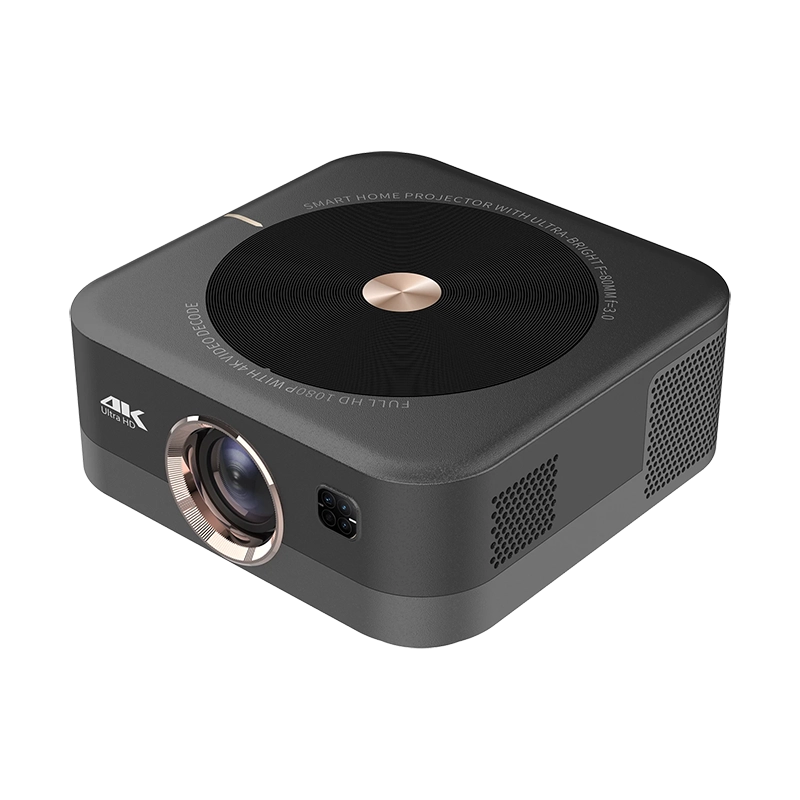
| GP93B | Native 1920 × 1080; 4K decoding; 240 ANSI lumens; 1.2:1; 1200:1 contrast; 3.5-inch LCD | Allwinner H723 quad-core Cortex-A53; Android 14; 2GB RAM; 8GB ROM | Front/rear/hang; auto focus; auto keystone; auto alignment; obstacle avoidance; dual-band Wi-Fi 6; BT 5.4; HDMI, 1 USB, 3.5 mm audio; best 32–120 inches at 1.2–3.5 m | 194 × 194 × 66 mm; 1.04 kg; 49 W; 28 dB; ABS; LED | Dust-free is a product description; sealing method and ingress evidence require confirmation |
| GP94C | Native 1920 × 1080; 4K decoding; 500 ANSI lumens; 1.35:1; 1500:1 contrast; 4.0-inch LCD | MediaTek MTK9269; Android 9; 1GB RAM; 32GB ROM; IR remote | Front/rear/hang; auto focus; auto keystone; auto alignment; obstacle avoidance; dual-band Wi-Fi 6; BT 5.1; HDMI, USB, mini-jack audio, 100M Ethernet; best 29–150 inches at 1.15–6 m | 315 × 305 × 155 mm; 2.42 kg; 86 W; 32 dB; ABS; AC 110–240 V, 50/60 Hz | Title says 550 ANSI, detailed display specification says 500 ANSI: confirm against production datasheet |
| Mini HD Projector with built-in battery, Product #290 | Title specifies HD and 300 ANSI lumens | Built-in battery; further platform data not supplied | Further I/O and mounting data not supplied | Further dimensions, noise, weight and power data not supplied | Request the full production datasheet before technical release |
| 4K Smart DLP Outdoor Projector, Product #288 | Title specifies 4K, DLP, 10,000 mAh battery | Android 9; other memory and platform data not supplied | Outdoor-use enclosure data, ingress rating and I/O not supplied | Battery capacity stated; weight, dimensions, noise and operating time not supplied | Clarify whether 4K is native or decoding and obtain environmental certification |
| 720P Native 4K Decoding Projector, Product #285 | Title specifies 720p native and 4K decoding | Android 13; auto keystone; other memory and platform data not supplied | Focus mode and I/O not supplied in the record | Dimensions, brightness, contrast, throw ratio, noise and weight not supplied | Confirm brightness and whether input decoding includes 4K frame rates |



Quantitative selection method and worked example
A defensible selection process starts with content and viewing geometry, not model selection. The worked example assumes a 120-inch 16:9 corporate auditorium with a 1.0-gain matte screen. A 120-inch screen is 2,657 mm wide, so a 1080p engine provides 1.30 pixels per mm horizontally.
Worked lumen calculation
- Define illuminance: assume a target average screen illuminance of 120 lux for controlled corporate projection.
- Calculate required lumens: screen area is 2.657 × 1.495 = 3.97 m²; required lumens equal 120 lux × 3.97 m² = 476 lumens on screen.
- Add placement and maintenance factors: use 0.85 placement and 0.80 maintenance factors, giving 476 ÷ 0.85 ÷ 0.80 = 700 ANSI lumens nominal.
- Apply ambient margin: add 25% for variable room lighting, producing 875 ANSI lumens as the illustrative procurement target.
- Map to candidates: the supplied GP94C specification of 500 ANSI lumens does not meet this illustrative high-ambient target without a higher-output model or different screen/ambient strategy.
- Resolve geometry: at a 1.35:1 throw, nominal distance is 2.657 × 1.35 = 3.59 m; the specified best-distance range of 1.15–6 m includes that position.
| Screen width | Height at 16:9 | Area | Target on-screen lumens at 120 lux | Nominal ANSI target with 0.85 × 0.80 factors |
|---|---|---|---|---|
| 86 inches | 1.91 m | 2.66 m² | 319 lumens | 469 ANSI lumens |
| 100 inches | 2.214 m | 3.46 m² | 415 lumens | 610 ANSI lumens |
| 120 inches | 2.657 m | 3.97 m² | 476 lumens | 700 ANSI lumens |
| 150 inches | 3.321 m | 6.21 m² | 745 lumens | 1,095 ANSI lumens |
The matrix uses an illustrative 1.0 gain and 120 lux target. Lower-gain screens require more lumens; higher-gain screens can improve output but narrow viewing angles and may increase hotspot risk. Confirm actual screen gain, viewing-angle specification and ambient-light survey.
| Selection condition | Resolution priority | Optical priority | Platform priority | Recommended evidence |
|---|---|---|---|---|
| ≤80-inch room, 1080p content | Native 1080p sufficient | Measured ANSI lumens at required gain | DRM, OTA and remote API | Source-to-screen test pattern |
| 80–120 inches, mixed 1080p/UHD | UHD advantage if viewing distance is short | Ambient and maintenance margin | EDLA or approved GTV path where required | Input, decode and native-output test |
| >120 inches | UHD supports detail, subject to optics | Lumens dominate readability | Thermal monitoring and fleet management | Screen-photometry report |
| High ambient | Resolution does not solve contrast loss | Higher lumens, screen gain and black level | Sensor and display controls may assist | Day/night illuminance measurements |
| Text-heavy classroom | Native UHD where available | Minimum keystone and stable focus | Source control and kiosk policy | Legibility and eye-point survey |
Deployment profiles by environment
Hotel and hospitality
Conditions: guest rooms often limit installation depth and ceiling access, while cleaning staff and guests create accidental movement and impact risks. Mounting: ceiling, wall or furniture placement must preserve the calculated throw and avoid guest obstruction. Connectivity: GP94C includes HDMI, 100M Ethernet, dual-band Wi-Fi 6, Bluetooth 5.1, USB and analog audio outputs; these support connected and standalone operation. Management: PMS integration can provide room-status and service commands, but the interface, authentication and PMS model must be specified. Risks: Android 9, 1GB RAM, guest data retention and remote-control abuse require policy controls.
Corporate meeting and training rooms
Conditions: mixed 1080p and UHD content, videoconferencing and frequent source switching. Mounting: ceiling mounting reduces theft risk but requires motor, focus and service-clearance validation; front projection should be avoided where it obstructs presentation. Connectivity: prioritize HDMI for low-latency PCs, Ethernet for stable fleet operation, and audio extraction or external amplification. Management: define a central source policy, device naming, OTA windows and recovery procedure. Risks: excessive keystone reduces text sharpness, while 100M Ethernet is adequate for many control flows but must be checked against multicast or large-file requirements.
Education and training
Conditions: chalkboards, mixed content, daily use and low-tolerance for downtime. Mounting: use a fixed, secure mount with a stable image plane and accessible power. Connectivity: classroom source control must support teacher laptop input, local fallback and centralized authentication policy. Management: Android 14 on GP93B may facilitate newer application compatibility, but storage is only 8GB and requires strict update management. Risks: dust, heat, unauthorized applications and over-aggressive digital correction can impair text legibility.

Retail and digital signage
Conditions: long operating hours, repeated content loops, frequent ambient changes and limited service windows. Mounting: ceiling or rear mounting should be mechanically secured and oriented to reduce ambient occlusion. Connectivity: use Ethernet for content delivery and scheduled playback; validate network isolation from guests. Management: define entitlement, playlist, logging and remote-recovery ownership. Risks: 240 ANSI lumens on GP93B may be insufficient for a bright retail environment, while the absence of stated IP ingress evidence may matter if the unit is not inside a protected enclosure.
High-ambient lecture and event space
Conditions: daylight or stage lighting that cannot be controlled. Mounting: calculate from the darkest and brightest operating states; avoid relying on auto exposure or obstacle avoidance for fixed geometry. Connectivity: isolate control traffic from streaming traffic and provide an emergency source override. Management: record commissioning presets by room state rather than accepting an automatic default. Risks: available models may not provide enough contrast or output; no resolution tier can compensate for insufficient projected luminance.
Platform and integration architecture
Google TV with Google Play Services is not interchangeable with generic AOSP. Commercial streaming deployments may require an EDLA-certified Google TV build, Google Play Services, Widevine L1 for protected 4K or HD services, a specific Android compatibility level and certified application behavior. AOSP devices can support enterprise applications and controlled playback, but the operator must establish its own distribution, licensing and update process. The supplied GP94C and GP93B records identify Android versions but do not state EDLA/GTV certification or Widevine security level; confirm these against the production datasheet and a compliance report.
| Layer | Required architecture decision | Evidence requested | Failure mode |
|---|---|---|---|
| Application platform | Google TV versus AOSP and managed application model | EDLA/GMS documentation, APK compatibility and admin policy | Protected content or enterprise apps fail at launch |
| DRM | Widevine L1/L3 and codec authorization per service | License-server test, device-level capability report | Resolution downgrade or playback refusal |
| OTA | Signed staged updates with rollback and pilot cohort | Update package, release notes and failed-update recovery | Partial fleet failure or version drift |
| MDM/TMS | Device inventory, policy, logs and remote actions | API documentation, role model and sample command | Untraceable devices and prolonged outages |
| Network | DHCP, DNS, VLAN, proxy and multicast policy | Network drawings and 24-hour soak test | Authentication, casting or OTA failure |
| Hospitality control | PMS/IP PMS, IR, CEC, serial or network bridge | Interface specification and end-to-end workflow | Room state does not control projector or input |
| Audio | Projector internal speaker, analog output or networked audio | Latency, level, mute and wake tests | Echo, lip-sync offset or no-room-audio control |
GP94C provides 5 W × 2 internal speakers and a mini-jack output; GP93B provides 3 W × 1 and a 3.5 mm headphone output. For meeting rooms, broadcast audio should usually be distributed through the building audio system to avoid room echo. CEC can reduce source-switching steps, but it must be tested against every source because implementations differ. PMS integration should define command semantics, room mapping, guest privacy, network failure behavior and local fallback.
| Mechanical and thermal interface | Engineering requirement | GP93B reference | GP94C reference |
|---|---|---|---|
| Mounting | Secure fixed mount with service access and cable strain relief | Front, rear and hang projection | Front, rear and hang projection |
| Acoustics | Verify noise at occupied-room position | 28 dB | 32 dB |
| Power | Separate projector power from room-control power where required | 49 W working consumption | 86 W working consumption |
| Thermal | Keep intake and exhaust paths unobstructed; measure internal temperature during maximum duty | Confirm production thermal limits | Confirm production thermal limits |
| Dimensions and mass | Check ceiling structure, mounting hardware and service envelope | 194 × 194 × 66 mm; 1.04 kg | 315 × 305 × 155 mm; 2.42 kg |
For protected optical systems, the GP93B is described as dust-free, but sealedness must be substantiated by construction drawings, an ingress strategy and evidence appropriate to the installation. Do not equate a marketing term with an IP rating.
Compliance evidence, optical protection and lifecycle cost
Compliance evidence must match the exact production model, firmware, destination market and power configuration. A supplier’s generic “CE” statement is not sufficient evidence for an installed program. The procurement file should identify the legal manufacturer, applicable EU directives or regulations, designated standards and accredited laboratory reports. Radio-enabled products also require market-specific radio authorization and labeling checks.
- Electrical safety: request an exact-model test report, including AC 110–240 V, 50/60 Hz variants where applicable.
- EMC: request conducted, radiated and immunity results for the production configuration.
- Radio: verify Wi-Fi 6 and Bluetooth authorization, band restrictions and software-version correlation.
- Environmental: obtain operating-temperature, humidity, altitude, drop, vibration and battery safety data for the intended use.
- Material and packaging: require applicable RoHS and REACH documentation, recycled-content evidence where contracted, and packaging compliance.
- Cyber and content: verify Android patch policy, signed firmware, application-signing controls, Google licenses where claimed, and DRM conformance.
| Evidence item | Minimum acceptable evidence | Procurement disposition |
|---|---|---|
| Safety | Accredited laboratory report tied to model and ratings | Reject report if model or power input differs |
| EMC | Test report with configuration and cable details | Review immunity levels against use case |
| Radio | Certification identifier and grant/scheme applicability | Check market and antenna configuration |
| Optical engine | Sealing architecture, dust-control method and maintenance interval | Do not accept “dust-free” without substantiation |
| Light source | Rated life, typical-life definition and lumen-retention method | Use manufacturer data in TCO model |
| DRM and platform | EDLA/GMS and Widevine reports for production build | Confirm L1/L3 before content commitment |
TCO structure without unit pricing
Total cost of ownership should be modeled over a defined operating horizon, commonly 3–5 years for commercial fleets, using an illustrative period that the operator must approve. Because no prices are included in this guide, the procurement team should enter current internal costs into the following categories:
TCO = acquisition + installation + content/network + maintenance + energy + service labor + failure allowance + end-of-life disposition.
- Installation: mount, wiring, controls, screen, alignment labor and access equipment.
- Maintenance: cleaning, scheduled inspection, replacement parts, calibration and firmware labor.
- Energy: nameplate power × operating hours × site tariff, adjusted for standby and measured duty cycle.
- Failure allowance: repair rate × parts cost plus on-site response and loaner coverage.
- Spare pool: determine fleet coverage from service response time and observed failure rates, rather than a universal percentage.
- Depreciation: model residual capability, replacement trigger and energy or performance drift alongside accounting policy.
For example, GP93B at 49 W consumes 0.049 kWh per operating hour; GP94C at 86 W consumes 0.086 kWh per hour. At 10 operating hours per day for 300 days, the theoretical operating-energy consumption is 147 kWh and 258 kWh respectively before standby. These arithmetic examples exclude load variation and power-supply efficiency.
OEM/ODM commercial process and program control
A commercial projector program should begin with a controlled product specification, not a retail model name. The supplier must identify whether brightness, panel, chipset, Android build, optics, battery and packaging are standard or customized. A product carrying an operator brand can still contain a third-party SoC or platform, so the BOM and software-maintenance responsibility must be documented.
- Requirement freeze: define resolution, ANSI lumens, throw ratio, interfaces, OS, certificates, management and environmental requirements.
- Supplier qualification: audit the optical-engine source, panel or DLP module, assembly line, calibration process, traceability and change-control system.
- EVT/DVT/PVT: validate electrical, optical, thermal, reliability and software builds before production release.
- Golden sample: approve one serialized reference unit against measurable acceptance limits.
- Pilot batch: deploy a controlled cohort across representative rooms before fleet rollout.
- Production release: lock hardware revision, firmware baseline, labels, packaging and test instructions.
- Lifecycle support: maintain PCN, EOL, spare, RMA and security-patch commitments.
| Customization area | Typical scope | Control required | Risk if omitted |
|---|---|---|---|
| Mechanical | Enclosure, mount, finish, logo and packaging | 3D, thermal and drop validation | Interference, overheating or cosmetic mismatch |
| Electrical | Power cord, plug, USB, audio and internal board | Exact BOM and safety report | Field noncompliance |
| Software | Boot logo, launcher, apps, remote API and update policy | Signing, rollback and version matrix | Fleet fragmentation |
| Content/DRM | Licensing, certificates, Widevine and Google approval | Build traceability and renewal owner | Playback failures |
| Packaging | Carton, accessories, labels and serial scheme | Drop and master-carton validation | Damage and asset-tracking gaps |
AQL sampling should be defined for the operator’s risk tolerance. Common inspection plans use accepted quality levels and lot sizes under ISO 2859-1 or ISO 10012-1 principles, but the buyer must specify the defect classification, sample size and rejection action. Optical brightness, focus, keystone, display defects, fan noise, port function, accessories and firmware boot are better handled as critical checks with documented sampling.
- PCN control: require advance notice for SoC, panel, DLP, optical module, power, remote, packaging and firmware changes.
- Traceability: map serial number to hardware revision, calibration result, firmware version, factory test and shipment batch.
- Spares: define quantities for optics, power supplies, remotes, mounts, cables and boards based on fleet size and service commitments.
- Warranty: specify the start date, RMA authorization, turnaround, freight ownership, DOA handling and remedy for repeated failure.
- EOL notice: require last-time-buy, firmware and security-support periods, and a migration plan.
The DataMax product data provides a basis for a technical RFQ. A broader OEM/ODM process is covered in the internal guide on projector OEM/ODM process.
Weighted RFP scoring and ordered procurement decision
| RFP criterion | Weight | Scoring evidence | Automatic rejection condition |
|---|---|---|---|
| Native resolution and optical performance | 20% | Native-output test, ANSI-lumen report, throw and focus data | Native resolution differs from approved requirement |
| Reliability and optical protection | 15% | Thermal, noise, dust-protection and reliability evidence | No evidence for claimed protection |
| Platform and DRM | 15% | EDLA/GTV, Widevine and protected-content demonstration | Required protected stream fails |
| Management and integration | 15% | OTA, MDM/TMS, PMS, API and rollback demonstration | No controlled update or recovery path |
| Installation and interoperability | 10% | Interface, geometry, CEC, audio and control test | Mandatory interface or timing absent |
| Compliance documentation | 10% | Exact-model reports and certificates | Required market approval missing |
| Lifecycle and support | 10% | PCN, EOL, spares, warranty and patch plan | No accountable support owner |
| Commercial completeness | 5% | Complete response without unsupported claims | Major specification fields left blank |
- Reject non-mandatory models: remove any unit that lacks native resolution, exact certification, required interface or protected-content compatibility.
- Reject optical non-compliance: remove units that cannot achieve the calculated lumens, geometry or focus at the required screen.
- Reject platform non-compliance: remove units without controlled firmware, OTA rollback or required DRM.
- Reject lifecycle non-compliance: remove suppliers without traceability, PCN, warranty and spare support.
- Score remaining suppliers: apply the weighted table, then review any score difference below 5 percentage points against pilot-site results.
- Complete site pilot: select using measured optical, network, control and service performance rather than laboratory claims alone.

Site acceptance and troubleshooting
Acceptance should use a golden-sample comparison, calibrated illuminance measurement, geometry records and end-to-end content tests. Record serial number, room, screen, source, firmware, ambient condition, installer and corrective settings for every accepted unit.
| Acceptance test | Method | Acceptance criterion | Record |
|---|---|---|---|
| Native resolution | Display the approved 1-pixel grid and native-resolution source | No scaling artifacts; panel path reports expected native mode | Screenshot and output-resolution report |
| Brightness | Measure 9-point or approved grid average under stabilized conditions | Within the contract’s stated ANSI-lumen tolerance and placement factors | Lux readings, ambient lux and test mode |
| Geometry and focus | Grid, focus test and edge inspection | Square, stable and sharp within approved tolerance | Keystone percentage, focus and correction settings |
| Color and uniformity | Approved gray ramp, white patch and screen grid | Meets contractual limits across sampled points | Instrument readings and test image |
| Network | DHCP, DNS, captive portal, proxy, casting and OTA test | Authorized functions pass; unapproved destinations are blocked | IP, latency, logs and configuration |
| DRM | Play each production service at its committed resolution | Authorized playback with no downgrade or error | Service, account type and capability report |
| Controls | Exercise PMS, CEC, remote, mute, source select and shutdown | State synchronization and local fallback pass | Workflow sequence and result |
| Thermal and acoustic | Run minimum 2-hour continuous test in installation mode | No shutdown, unstable image or noise above approved limit | Temperature, runtime and dB reading |
| Recovery | Interrupt network and power during update, then restore | Device returns to a usable state without truck roll | Recovery log and local operating steps |
| Symptom | Likely checks | Isolation procedure | Corrective action |
|---|---|---|---|
| Image is dim | Brightness mode, ambient light, lamp timer, screen gain | Compare measured screen lux with commissioning baseline | Restore approved preset, clean optical path or replace unit |
| Kept edges blurred | Keystone, focus, lens alignment and source scaling | Disable digital correction and view 1-pixel grid | Realign mechanically, refocus and minimize correction |
| 4K source appears soft | Native output, decoder path, HDMI bandwidth and scaling | Confirm native mode with a grid and report output resolution | Correct source or platform path; do not infer native 4K from decoding |
| Protected stream fails | DRM level, time, certificates, account and license server | Test with approved service and capture platform logs | Correct provisioning or deploy a compliant production build |
| Wi-Fi is intermittent | RSSI, interference, band, DHCP and power saving | Run 24-hour soak test with event logging | Use 5 GHz where allowed, fixed channels or Ethernet |
| PMS room state diverges | Mapping, API queue, heartbeat and duplicate commands | Replay one command with packet and server logs | Define authoritative state, retry and reconciliation behavior |
| Unit reboots during use | Thermal condition, input voltage, memory and OTA state | Log internal temperature, power events and crash traces | Resolve thermal or power cause; roll back firmware if correlated |
| Image shifts over time | Mount movement, thermal focus drift and auto alignment | Compare saved reference image at start and end of test | Secure mount, perform focus calibration and update service record |

Operational resources and additional engineering references
Use the internal ANSI-lumen selection guide to expand the room-lux model and the Widevine L1 versus L3 guide to validate protected-stream requirements. These references support the technical evaluation; they do not replace model-specific compliance evidence or an on-site photometric survey.
- Record each projector’s native resolution separately from decoded input resolution.
- Record ANSI lumens separately from LED or light-source lumen claims.
- Store the measured geometry, focus and keystone settings for every room.
- Link each serial number to firmware, hardware revision and factory calibration.
- Maintain an acceptance package containing source, screen, ambient and control tests.
- Reassess light output at the contractual maintenance interval.
Expert FAQs
Does 4K decoding mean the projector is native 4K?
No. Decoding means the platform can ingest or decode a 4K stream. Native 4K requires an imaging engine with 3840 × 2160 output pixels. GP93B and GP94C are specified as native 1920 × 1080 with 4K decoding.
Is native 1080p adequate for a 120-inch commercial screen?
It can be adequate when viewing distance, source quality and screen conditions are favorable, but it is not automatically sharp for close viewers. A 120-inch 16:9 screen is 2,657 mm wide, so 1080p produces about 1.30 horizontal pixels per millimeter. Validate with a native-resolution test pattern and representative content.
Why is ANSI brightness more useful than LED lumens?
ANSI lumens describe output through the completed optical system under a defined test method. LED lumens may describe the light source before efficiency and optical losses. Neither value replaces a site measurement, but ANSI lumens provide a more comparable procurement baseline.
Should auto focus and auto keystone be enabled permanently?
Not necessarily. Automatic functions help during setup, but permanent installations benefit from mechanically correct geometry and fixed focus. Excessive digital keystone can reduce effective sharpness and brightness. Record the approved calibrated state and disable unnecessary automatic correction where practical.
Does Android 14 make a projector suitable for managed enterprise deployment?
No. Android 14 provides a platform version, not evidence of MDM compatibility, application support, security policy, OTA rollback or Google certification. GP93B’s Android 14, 2GB RAM and 8GB ROM require separate validation, especially for storage-intensive updates and applications.
What does Widevine L1 affect in a commercial projection workflow?
L1 supports secure hardware-backed DRM paths when the complete device, display path and license configuration comply. It can be necessary for premium or UHD services. Confirm the exact model’s security level, Google status and service authorization; a decoder alone does not establish L1 capability.
How many spare projectors should a commercial fleet hold?
The spare count should reflect fleet size, observed failure rate, service-response commitment and acceptable downtime. Run a controlled pilot, measure failures and model replacement intervals. A universal spare percentage would not account for differences between a 25-unit campus and a 2,500-site estate.
How should dust-free or sealed optical claims be evaluated?
Require construction evidence, an ingress-control explanation and applicable environmental test results. “Dust-free” is not an IP rating. Confirm the actual production design because replacement fans, filters or assembly revisions can alter contamination behavior.
Engineering consultation and RFQ readiness
For a qualified model shortlist, site calculation, control architecture or OEM/ODM RFQ, provide screen dimensions and gain, ambient lux, source resolution, viewing geometry, installation constraints, target operating hours, platform requirements and regional compliance scope to the engineering team for review.