
Executive summary
There is no single “best” video-conferencing architecture for every room. A 4-person huddle room, an 8-to-12-person meeting room, a 16-to-24-person boardroom, and a divisible training room impose different constraints on camera placement, acoustic echo cancellation, display overscan, network capacity, control, and support ownership. The defensible selection starts with measured room geometry and participant behavior, then allocates compute, signal paths, and operational controls to those constraints.
For procurement, the DataMax product evidence is narrow. The available production data explicitly identifies a DM16N RK3588 engine with AOSP Android 14 or Debian 10.6, HDMI input and output, USB, gigabit Ethernet with PoE, Wi-Fi 6, Bluetooth 5.0, a stated 6-TOPS NPU, and specified media codecs. Product #263 is identified as an RK3568 edge-computing box for video conferencing with Android/Linux variants, but its complete processor, memory, interface, codec, environmental, and certification data are not supplied. Product #265 is identified as an industrial panel PC with a standard OPS slot, but its processor and electrical details are also absent. Those gaps must be confirmed against the production datasheet before award.
- Room class first: specify participant count, room dimensions, table geometry, camera range, display size, collaboration workflow, and BYOD versus managed-platform policy before selecting hardware.
- Compute is not a quality proxy: codec throughput, camera input path, AEC integration, thermal margin, and application certification determine usable call quality more directly than an NPU TOPS figure.
- Use one documented signal architecture per display: specify source, capture, conversion, scaling, EDID, audio return, control, and fallback rather than combining undocumented adapters.
- Reserve wired media as the baseline: use IEEE 802.11ax only as a controlled fallback where mobility is required; validate the access point, channel plan, and conference traffic separately from ordinary client traffic.
- Design quality by measurement: validate speech intelligibility, talker pickup, image framing, screen-share legibility, latency, packet loss, and thermal stability under representative occupancy.
- Procure for lifecycle control: require serial traceability, firmware policy, PCN/EOL process, spare stock, RMA workflow, security evidence, and an OEM/ODM AQL-based acceptance plan.
- Use weighted evidence, not feature count: score room fit, interoperability, media performance, security, serviceability, lifecycle, and total cost of ownership against weighted criteria.
Room classes and reference architectures
Room classification should use the worst expected occupancy, not the nominal seat count. A table that normally seats 4 may need to support 6 people, while a boardroom table can place attendees outside the camera’s tested horizontal field of view. Capture the room’s length, width, ceiling height, table-to-wall distance, display diagonal, camera mounting height, and fixed furniture positions in the commissioning baseline. These measurements determine camera angle, lens selection, microphone count, loudspeaker placement, and whether a second display or camera is justified.
| Room class | Typical design envelope | Camera and capture | Microphone, audio, and display | Primary risk |
|---|---|---|---|---|
| Huddle | 2-4 participants; compact table; frequent ad hoc use | Single wide camera at display or ceiling; manual or platform framing; optional BYOD USB camera | 1 integrated or ceiling mic; display speaker or soundbar; 42-55 in display is common but must be verified | People entering the frame and hair-trigger switching |
| Meeting | 4-8 participants; fixed seats; recurring hybrid meetings | Single 4K camera or two-camera coverage if the table is wide; fixed camera preferred | 2 or more ceiling mics; soundbar or ceiling loudspeakers; 55-75 in display | Uneven capture, ceiling reflections, and laptop audio bypassing room processing |
| Boardroom | 8-24 participants; long table; executive workflow | Camera array, PTZ, or 2-3 fixed cameras with platform-supported switching | Distributed ceiling mics; independent speaker system; 75-98 in or dual displays | Face detection and speaker attribution, privacy, glare, and AV control complexity |
| Training/divisible | 12-60 participants; movable partitions; multiple operating modes | Per-zone cameras or ceiling arrays; physical mute indicators; BYOD at participant tables | Zone ceiling mics and speakers; projector or laser display; selectable lighting and display scenes | Duplicate capture, crosstalk, partition acoustics, and inconsistent room presets |
The dimensions above are design envelopes, not DataMax specifications and not universal acceptance thresholds. Use them to structure the request for quotation. The final design remains subject to site measurement and platform-specific testing. The RK3568 product title identifies a video-conferencing edge box, but its ability to execute a selected codec, decode a particular display signal, and process camera media must be confirmed against the production datasheet and a platform conformance test.
- Huddle: prioritize one-touch launch, fast BYOD recovery, and a room that can be left in a known state after every call.
- Meeting: prioritize stable automatic framing, consistent camera exposure, and predictable audio routing.
- Boardroom: prioritize privacy controls, presenter modes, room automation, and multivendor interoperability.
- Training/divisible: prioritize zone isolation, scene recall, partition-aware audio, and operation without a specialist present.
Compute, camera, and acoustic processing requirements
A conferencing engine performs several distinct jobs: operating the approved application, decoding and compositing local media, capturing one or more cameras sources, encoding outbound media, processing AEC, and controlling displays, peripherals, and meeting controls. Hardware selection should therefore be tied to simultaneous workloads rather than a single benchmark. A nominal 8K codec capability does not establish performance when another display path, camera pipeline, browser, background application, or security agent is active.
| Component or interface | Engineering requirement | Procurement evidence | Integration risk |
|---|---|---|---|
| Application codec | Approved codec profile, bitrate, resolution, frame rate, and simultaneous encode/decode load must be stated | Platform certification; repeatable codec test report; media workload profile | Nominal silicon capability may differ from sustained application throughput |
| USB/UVC camera | Continuous capture at the selected resolution and frame rate, with stable enumeration and hot-plug behavior | Camera descriptor, supported format list, 2-8 hour soak result | USB bandwidth conflicts, driver variance, and color-range mismatch |
| SDI capture | Standard resolution and frame rate, embedded-audio policy, and bridge latency must be defined | Capture-card test matrix and supported pixel formats | Resolution mismatch, frame-rate conversion, and upstream device control |
| HDMI capture | Supported resolution, color format, HDR/SDR policy, HDCP handling, and EDID behavior | Capture report with source and sink combinations | Black screens caused by format, HDCP, or EDID incompatibility |
| AEC | Mic and speaker topology must be known before selecting a platform or fixed-array processor | Platform AEC reference design; speech-level and double-talk testing | Clipping, residual echo, unstable gain, and improper laptop bypass |
| NPU or AI accelerator | Use for a named function such as noise suppression, framing, or recognition only when the platform exposes a supported path | Supported inference engine, model format, runtime, and available TOPS under sustained load | A nominal TOPS value may not map to a production use case |
Acoustic echo cancellation is a system problem, not a microphone specification. The AEC engine needs a known reference signal from every active loudspeaker, consistent sample-rate conversion, bounded end-to-end latency, stable gain control, and no uncontrolled mixing of laptop microphone audio. A ceiling array selected only by element count can underperform in a reflective room. Validation should use the production layout, occupied-room noise, double talk, and the same output level used in service.
For the DM16N, the supplied data states RK3588 with four Cortex-A76 and four Cortex-A55 cores, a 6-TOPS NPU, H.265/H.264 encoding and decoding limits, and AOSP Android 14 or Debian 10.6. These are selection inputs, not proof of a particular conferencing platform certification. Confirm codec implementation, camera framework, AEC route, sustained thermal behavior, and supported conferencing application against the production datasheet.

DataMax edge and compute product comparison
| DataMax item | Documented role | Processor and software | Documented I/O and media | Memory, dimensions, and deployment use | Unresolved engineering evidence |
|---|---|---|---|---|---|
| Product #263: RK3568 Edge Computing Box for Video Conferencing | Android/Linux edge-computing product identified for video conferencing | RK3568 is present in the product name; exact Android/Linux releases and platform support are not supplied | Complete HDMI, USB, network, camera, codec, and audio I/O are not supplied | Memory, storage, dimensions, power, and environmental limits are not supplied | Confirm all platform, codec, camera, network, thermal, lifecycle, and certification details against the production datasheet |
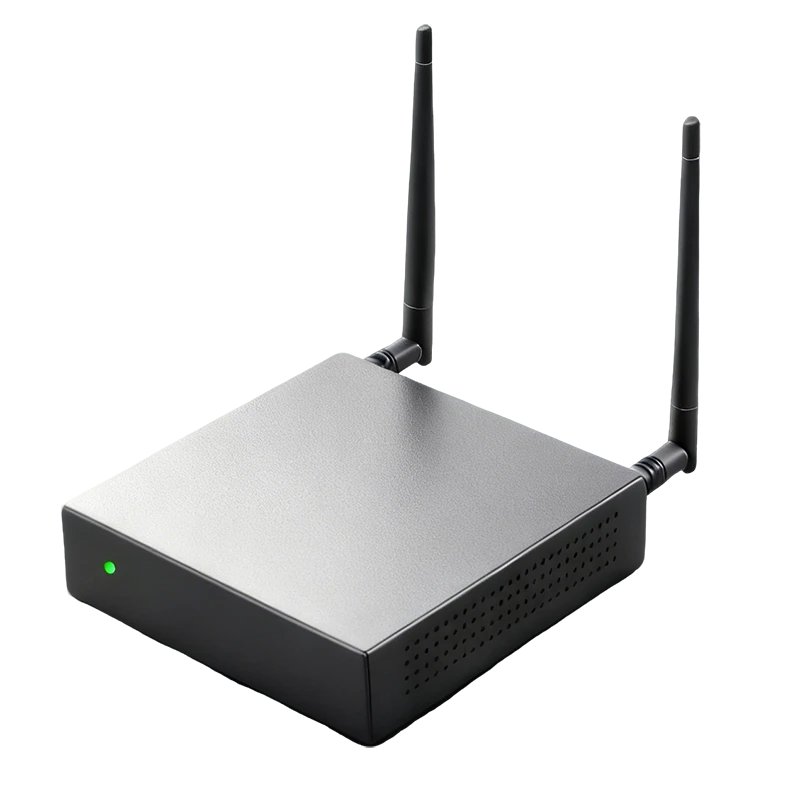
| Product #266: DataMax DM16N RK3588 AV-over-IP ecosystem hardware engine | Enterprise meeting and AV-over-IP hardware engine | RK3588; quad-core Cortex-A76 plus quad-core Cortex-A55; AOSP Android 14 or Debian 10.6 | HDMI input x1/output x1; USB 2.0 x2; RJ45 1000M LAN with PoE; Type-C x1 with DP1.4; Wi-Fi 6 and Bluetooth 5.0; stated media encoder/decoder capabilities and digital-audio interfaces | LPDDR4X 8GB, with 2/3/4GB options; eMMC 64GB, with 8/16/32/64GB options; 135 x 135 x 32 mm; 12V/2A | Confirm exact SKU configuration, supported conferencing app, sustained media limits, AEC route, operating-temperature range, certifications, and AV-over-IP protocol behavior |
| Product #265: Industrial Panel PC with standard OPS slot for smart classrooms | Integrated educational or training-room panel system | Processor, OS, NPU, and application platform are not supplied | OPS and display I/O details are not supplied beyond the product description | Dimensions, display specifications, power, storage, and network are not supplied | Confirm whether OPS is used for conferencing compute, display interface compatibility, thermal envelope, and production datasheet certification |

Display, projection, audio, and connectivity integration
Every room needs an explicit signal-flow drawing covering local laptop video, room-PC video, camera media, return audio, control, and network. The drawing should name source and sink models, connector types, direction, resolution, frame rate, color format, audio format, EDID ownership, control protocol, and power state. This prevents a common integration error in which a capture adapter accepts a laptop signal, but the conferencing application or room display cannot negotiate the same format.
| Integration domain | Required design decision | Commissioning check |
|---|---|---|
| HDMI and display | Define native format, supported input range, 4K/60 policy, HDR policy, scaling ownership, and whether CEC is required or prohibited | Cycle each source through off, on, hot-plug, and sleep states; verify image, EDID, and control behavior |
| EDID | Assign EDID ownership to one identifiable device per display chain; use a controlled EDID override where necessary | Confirm reported resolution, color format, HDR, and audio capability match the design |
| HDMI CEC | Disable or isolate where multivendor control conflicts; document permitted source-to-sink commands | Verify power, volume, and input changes do not produce unintended control loops |
| USB extension | Separate conferencing USB traffic from printer, HID, or generic USB extension; document charging and data roles | Enumerate camera, codec, touch controller, and conferencing USB devices simultaneously under load |
| Table connectivity | Provide one defined path for BYOD video, USB data, power, and return audio; label connectors by function | Test at least 2 representative laptops and 1 corporate tablet if either is in scope |
| Projection and laser display | Calculate usable image area, viewing angle, brightness, and throw geometry; avoid assuming a screen size equals a display size | Verify legibility at front, middle, and rear occupied positions under specified ambient light |
| Audio return | Route all participant microphones and room speakers through one AEC-managed domain | Confirm no double-processing, feedback loop, or local speaker output bypasses the room engine |
Cabling design should separate media, power, and network where practical. Use active copper or certified fiber for long HDMI runs; specify maximum length and whether the chosen device supports the required format. USB extension over long distances requires a supported active hub or extender architecture and explicit power budget. For table boxes, distinguish charging-only USB-C from DisplayPort Alternate Mode and data-capable USB-C. The DM16N Type-C port is documented with DP1.4, but this does not establish that it is a USB-C input for room laptops or a general-purpose table connector.

BYOD, room PC, room bar, and platform governance
| Model | Control and lifecycle | Advantages | Limitations | Procurement evidence |
|---|---|---|---|---|
| BYOD browser | Guest controls application and content; IT manages network and browser policy | Low room hardware cost and broad platform reach | Browser permissions, user interaction, camera quality, and meeting features vary by client | Approved-browser matrix, URL policy, network test, and guest procedure |
| BYOD meeting app | User installs and maintains the approved client; room provides display, camera, and power | Simple deployment and familiar user workflow | Device state, permissions, updates, and codec behavior remain partly outside IT control | Client OS matrix, device approval, cable and adapter policy |
| Room PC | IT manages a fixed endpoint and a room-optimized application | Predictable camera, audio, display, and app configuration | Higher maintenance, patching, imaging, and application renewal obligations | Application certification, imaging process, patch SLA, and spare strategy |
| Room bar or fixed appliance | Vendor platform manages most functions; IT manages accounts and policies | Fast reset, consistent experience, and fewer visible components | Platform lock-in, recurring licenses, and limited extensibility | Cloud or on-premises dependency, data path, API, license terms, and end-of-life policy |
| Hybrid room | Managed room PC plus a controlled BYOD path | Supports recurring corporate calls and occasional guest access | Adds mode-switching and potential source precedence conflicts | Source-priority matrix, clean reset procedure, and acceptance across both modes |
Platform certification must be product-specific. A statement that an RK3588 processor supports H.265 does not establish that the DM16N is certified for a named conferencing platform, room controller, AEC provider, or camera. Require the exact model/SKU, OS image, application version, firmware, and peripheral configuration used in certification evidence. The Android/Linux variants named for Product #263 require the same discipline.
- Select the conferencing platform and application version before issuing the hardware RFP.
- Require platform vendor confirmation for processor, OS, codec profile, camera, AEC, and display-device combinations.
- Lock the production image, firmware, peripheral set, and any network or cloud dependency in the bill of materials.
- Re-test after an OS, codec, camera firmware, or room-controller update; an upstream certificate does not transfer automatically.
- Define whether recording, transcription, remote control, analytics, and guest administration require separate approval.

Network capacity, QoS, VLAN, and security segmentation
Network design must distinguish signaling from media and control traffic. A call’s media bitrate depends on codec, resolution, frame rate, content type, screen-share encoding, and platform overhead; therefore no single bitrate is valid for every implementation. For initial sizing, validate the selected platform against a conservative media allowance of 4-8 Mbit/s per 1080p participant stream where the platform does not publish a more precise rate, and separately verify its 720p fallback. This is an illustrative planning range, not a specification or guaranteed bandwidth requirement.
| Network layer | Recommended treatment | Verification |
|---|---|---|
| Media path | Use a dedicated service VLAN where possible; shape or police conference media according to measured platform requirements | Call under sustained uplink load and simultaneous screen share |
| Signaling and control | Allow only required platform and management destinations; monitor rather than blanket-permit internet traffic | Confirm connection establishment with explicit destination allow lists |
| QoS and DSCP | Align endpoint marking, switch policy, and WAN treatment; use DSCP 46 as a commonly used EF marker for real-time traffic, but confirm platform and network policy | Capture wire markings and measure queuing delay, loss, and jitter |
| Wi-Fi versus wired | Prefer wired for fixed conferencing endpoints; reserve Wi-Fi 6 for controlled fallback or BYOD | Test minimum RSSI, SNR, channel utilization, and roaming behavior in occupied rooms |
| Dual network | Do not bridge guest and corporate networks; use a trusted conferencing VLAN, explicit firewall policy, and controlled management path | Attempt unauthorized lateral traffic from guest and enterprise segments |
| Availability | Consider dual uplinks only when the conferencing platform supports failover without session interruption | Test link loss and reconnection under an active call |
The DM16N has a documented 1000M RJ45 interface with PoE and dual-band Wi-Fi 6. Its use as a primary conferencing path should be evaluated against PoE power budget, switch capacity, thermal loading, and the requirement for a dedicated AV network. Wi-Fi can improve cable flexibility but introduces interference, roaming, antenna placement, and channel-capacity variables that wired Ethernet avoids.
- Use IEEE 802.1Q VLAN segmentation at the access layer for conferencing, building systems, guests, and management.
- Document DSCP marking at the endpoint, access switch, distribution switch, WAN edge, and any wireless controller.
- Apply egress shaping to prevent room video traffic from saturating WAN links used for other business applications.
- Use firewall rules based on documented platform destinations rather than opening broad internet access.
- Record jitter, packet loss, round-trip delay, retransmission rate, and call join failures for at least 7 days of representative operation.
- Test the network with real cameras, microphones, speakers, display, and BYOD rather than with a synthetic endpoint alone.
Deployment and commissioning SOP
- Survey: record room dimensions, occupancy, table layout, ceiling height, ambient light, reflections, display mounting, power, cable routes, and network access.
- Design freeze: issue a reflected ceiling plan, signal-flow diagram, device schedule, IP plan, VLAN/DSCP plan, and control sequence.
- Staging: burn the approved firmware, application version, room configuration, and test accounts to each endpoint before site installation.
- Physical installation: mount cameras and displays with defined positions and clearances; label media, USB, network, and power cables.
- Network commissioning: validate PoE or power, link speed, VLAN assignment, DSCP marking, firewall paths, wireless coverage, and platform connectivity.
- AV commissioning: test every source/display pair, EDID behavior, camera format, audio return, speaker level, mute indicators, and clean reset.
- Acoustic validation: measure impulse response, background noise, speech level, double talk, residual echo, and talker coverage in the occupied configuration.
- Camera validation: verify framing, exposure, white balance, focus, privacy behavior, switching, and image quality at the farthest expected seat.
- Operational handover: train users, publish the room ID and support path, configure monitoring, document exceptions, and archive the accepted baseline.
| Commissioning category | Measured evidence | Acceptance decision |
|---|---|---|
| Speech intelligibility | STI or an approved equivalent under operating noise, with and without screen share | Pass the contract threshold at all occupied positions |
| Acoustic echo | Residual echo and double-talk behavior at the selected AEC reference level | No intelligible remote echo or unstable gain |
| Camera coverage | Capture stills from every seat plus motion and low-light checks | All registered participants framed and identifiable |
| Display | Resolution, frame rate, color, black level, readability, and EDID report | Matches the approved signal-flow matrix |
| Network | Join time, one-way delay, jitter, loss, retransmission, and Wi-Fi survey if used | Meets the platform and site thresholds |
| Thermal | Temperature, throttling, and stability during a multi-hour loaded call | No media interruption or thermal shutdown |

Remote management, monitoring, and serviceability
Monitoring should expose service health without creating a parallel management plane that bypasses customer security controls. Define which events are collected, their retention period, export format, destination, and access role. A minimum telemetry model includes device identity, online state, application state, last successful call, media errors, network loss, temperature, storage utilization, peripheral inventory, and remote-action audit logs. The DM16N’s documented Debian 10.6 and AOSP Android 14 options imply different operational mechanisms, so the management design must be tied to the production OS image rather than assumed from the processor alone.
| Operational function | Recommended control | Service evidence |
|---|---|---|
| Inventory | Unique serial and asset identifier linked to room, software image, application version, and peripheral set | Queryable inventory export and discrepancy report |
| Health | Online state, boot status, app readiness, camera/mic/display presence, and network reachability | Alerting rule and mean time to detect |
| Remote recovery | Application restart, power control, log collection, and configuration rollback where approved | Authorized-action audit and recovery test |
| Update | Signed firmware, staged deployment, health gate, and rollback package | Version report, update success rate, and rollback evidence |
| Capacity | Track call failures, join duration, packet loss, thermal events, and peripheral faults | Monthly trend with room-level thresholds |
Remote management must not expose an open agent port on the conference VLAN. Use an approved management plane, mutual authentication where supported, least-privilege roles, and centralized logging. Validate the complete support workflow before rollout: detect an incident, identify the affected room, retrieve logs, recover the service, verify the call, and close the ticket.
Reliability, compliance, lifecycle, and compliance evidence
Reliability claims require a defined environment and workload. Request mean time between failures or failure-rate data only for stated temperature, duty cycle, peripheral set, and software version. Thermal acceptance should run the platform’s expected concurrent workload, including camera, codec, display, network, and security applications, for at least 4 hours; longer is preferable for rooms with 24-hour operation. Record processor temperature, frequency behavior, media errors, and acoustic artifacts. The DM16N’s documented 12V/2A input is a supply requirement, not evidence that it is safe to operate every external USB, display, camera, and peripheral combination.
| Evidence area | Supplier deliverable | Buyer verification |
|---|---|---|
| Electrical safety | Applicable product safety report and declaration identifying the exact model and power supply | Certificate number, laboratory, date, model, and standards are checked against the production BOM |
| EMC and radio | Applicable EMC test report; radio test evidence where Wi-Fi/Bluetooth is enabled; declarations or markings required for the destination market | Verify standards, variants, antennas, firmware, and market authorization |
| Environmental | Operating and storage temperature, humidity, shock, vibration, and thermal evidence | Compare worst-case room conditions with the production datasheet |
| DRM and content | Not assumed from an SoC codec claim; request the exact platform/content workflow if protected content is in scope | Confirm Widevine security level and HDCP version against application and sink requirements |
| Platform compliance | Google GMS or EDLA certification only where the shipped configuration and distribution model require it | Validate certificate scope and device identifiers; Android CDD/CTS results apply to the exact build under the relevant program |
| Cyber and privacy | SBOM, vulnerability-handling process, secure-boot or update evidence where claimed, and data-flow documentation | Assess update support period, supported dependency versions, and cloud/telemetry destinations |
| RoHS and material | Applicable material compliance declaration for the exact configuration | Cross-check the declaration against the shipped BOM and production model |
Lifecycle planning requires a written PCN/EOL process, notice period, last-time-buy policy, firmware support, security-patch window, and mapping from production SKU to the approved room solution. Spare strategy should cover the room PC or appliance, camera, microphone, display controller, power supply, and any proprietary bridge. Quantity should be based on failure rate, lead time, and service contract rather than a universal percentage. An illustrative starting point for critical sites is 2-5% of installed endpoints as local spares, subject to lead-time and failure analysis.
OEM/ODM quality controls should include an approved sample plan using ISO 2859-1 sampling and a quality agreement that identifies AQL levels, critical defects, rework limits, traceability, and failure escalation. During incoming inspection, verify the exact model, accessories, firmware versions, labels, regulatory files, and port functionality. For custom products, the BOM, firmware, mechanical drawing, packaging, serial format, and test fixture are controlled revisions. A PCN must identify whether the change affects fit, function, firmware, safety, EMC, certification, or approved peripherals.
Lifecycle TCO and operational cost structure
Total cost of ownership should separate acquisition, site integration, recurring platform, support, and retirement. Hardware-only comparison can misrank a room bar against a room PC because one requires annual licenses and another requires local imaging and endpoint patching. Build a 5-year cash-flow model using actual supplier quotations, but remove optional cloud or managed-service fees when the selected architecture does not use them. Do not treat illustrative power estimates as product facts; obtain measured or manufacturer-documented values.
| Cost element | One-time cost | Recurring cost | Control metric |
|---|---|---|---|
| Endpoint and room AV | Compute, camera, microphones, speakers, display, bridge, mounting, cabling | Replacement and spare stock | Cost per room and asset life |
| Installation | Survey, design, programming, commissioning, documentation | Minor moves and room reconfiguration | Labor hours per room type |
| Network | Access ports, switches, PoE, cabling, VLAN, firewall rules | Switch/AP support and bandwidth growth | Ports per room and recurring capacity |
| Platform | Setup and account provisioning | Licenses, cloud, recording, analytics, management | Cost per active room and feature enabled |
| Support | Asset and topology documentation | Vendor support, patching, remote monitoring, onsite visits | Mean time to repair and service visits per month |
| Energy and environment | Infrastructure provision | Electricity and cooling | Measured watts and operating hours |
| End of life | Data sanitization and asset disposal process | Certificate and documentation effort | Percentage securely retired |
A worked sizing example illustrates method without inventing DataMax product performance. Suppose an enterprise needs 20 meeting rooms: 10 rooms at 6 participants and 10 at 12 participants. A plausible topology is 20 fixed room-PC endpoints, 20 fixed cameras, 20 AEC-managed microphone/speaker assemblies, 20 displays, and 20 wired access ports. At an illustrative planning value of 4-8 Mbit/s per 1080p participant stream, a 6-person call could consume approximately 24-48 Mbit/s of aggregate media before protocol overhead and unrelated traffic. This range is not a DM16N limitation or a guarantee; obtain the selected platform’s official media model and validate it.
OEM/ODM and sourcing commercial process
- Define the room and acceptance profile: issue one controlled specification per room class with room, AV, network, security, lifecycle, and service requirements.
- Qualify the platform: select the conferencing application, client version, identity service, meeting-room controller, and peripherals before requesting product-level evidence.
- Release the RFP: require line-item compliance, explicit exceptions, all certificates, production BOM details, support commitments, and lifecycle dates. Do not ask for prices in this technical article.
- Validate samples: test the exact hardware, OS build, application, peripherals, cables, and room controller supplied for qualification.
- Approve the pilot: deploy at least 3 representative rooms spanning room class, network path, and occupancy; record defects and recovery behavior.
- Control production: freeze hardware revision, firmware, application image, accessories, packaging, labeling, test fixture, and serial format.
- Accept volume: use an agreed inspection plan, functional sampling, burn-in duration, defect thresholds, and traceability records.
- Operate the estate: implement staged updates, rollback, spares, incident response, and end-of-life review.
The commercial proposal should separate product, engineering, certification, tooling, lifecycle, and recurring costs. Engineering changes should be controlled through an engineering-change notice that states the reason, affected serial range, compatibility impact, test plan, certification impact, implementation date, and rollback plan. A supplier unable to provide PCN/EOL terms, serial traceability, or exact certificate scope should not receive full technical approval.
Use the DataMax record carefully. Product #263 supports Android/Linux in the product description and is positioned for video conferencing, but detailed selection data are absent. Product #266 provides a substantially more complete DM16N hardware record and is the documented candidate for an enterprise meeting or AV-over-IP engine. Product #265 is relevant to training and smart-classroom integration through its standard OPS description. Each must be assessed against the same production acceptance criteria.
Weighted RFP scoring and ordered decision tree
| Criterion | Weight | Scoring question | Evidence required |
|---|---|---|---|
| Room and application fit | 20% | Does the exact configuration satisfy the room and certified application? | Compatibility matrix and sample demonstration |
| Media and AEC performance | 18% | Does the sustained workload meet codec, camera, and AEC limits? | Repeated lab and occupied-room test report |
| AV integration | 12% | Are camera, display, EDID, USB, and audio paths controlled? | Signal-flow validation and peripheral matrix |
| Network and security | 12% | Does the device support required VLAN, QoS, authentication, and segmentation? | Configuration guide and security test evidence |
| Reliability and serviceability | 12% | Can the supplier support recovery, spares, logs, and updates? | Thermal test, monitoring demo, and SLA |
| Compliance | 8% | Are exact-model certificates current and market appropriate? | Reports, declarations, and certificate scope |
| Lifecycle and supply continuity | 10% | Are PCN, EOL, patch, and last-time-buy processes defined? | Written lifecycle and quality agreement |
| Commercial completeness | 8% | Is the quotation complete, transparent, and free of uncontrolled exceptions? | Bill of materials, service schedule, and compliance matrix |
Apply a 0-5 scale to every criterion, then calculate the weighted score as sum of (criterion score / 5) multiplied by criterion weight. A score of 3 means acceptable with documented mitigations; 4 means demonstrated fit; 5 means proven fit without material qualification. Mandatory failures—such as absent safety evidence, unsupported platform certification, or failure of the room acceptance test—override the weighted total.
- Is the room covered by a certified, commercially supported conferencing endpoint? If no, do not shortlist unless the buyer explicitly accepts a custom integration risk.
- Does the endpoint meet the measured camera, codec, AEC, display, and network workload under sustained test? If no, reject regardless of score.
- Can exact-model safety, EMC, radio, environmental, and platform evidence be validated for the destination market? If no, hold qualification.
- Does the supplier provide serial traceability, PCN/EOL, monitoring, recovery, and spare support? If no, require a documented exception before award.
- Compare weighted score and 5-year TCO across only architecturally valid candidates.
Acceptance testing and troubleshooting
| Test | Procedure | Pass evidence |
|---|---|---|
| Call establishment | Join from each supported client, identity method, and room mode; repeat 10 times | All joins succeed and return to the known home state |
| Media endurance | Run a multi-party 1080p call with screen share for at least 4 hours under load | No dropped media, thermal throttle, or resource-exhaustion failure |
| Camera framing | Capture each occupied seat, rapid movement, backlight, and low light | Approved framing and exposure at every seat |
| Acoustic performance | Measure speech, remote echo, double talk, and background noise with production mics and speakers | Contract thresholds met without AGC pumping |
| Display/EDID | Hot-plug every source, cycle sleep/wake, and inspect the EDID report | Correct format appears with no manual intervention |
| Network | Measure loss, jitter, delay, retransmission, DSCP marking, and Wi-Fi survey if used | Call quality and policy behavior meet the approved threshold |
| BYOD | Connect representative USB-C, HDMI, and DisplayPort laptops; test audio return | Video, data, power, and audio paths behave as labeled |
| Recovery and reset | Remove and restore network, reboot, restart the app, and execute the clean-reset procedure | Service returns without AV-control or EDID drift |
| Compliance archive | Check exact model, label, certificate scope, and production firmware revision | Evidence package is complete and traceable |
| Symptom | Likely checks | Corrective action |
|---|---|---|
| Black display but call is active | Source selection, EDID, HDMI format, HDCP state, cable, and sink handshake | Capture the negotiated format, restore the approved EDID, isolate the sink, then replace the confirmed failed cable |
| Echo or unstable audio | Speaker reference, USB playback, mixer gain, device sample rate, and double-talk level | Route all playback through the AEC reference, disable bypass, align rates, and repeat the occupied-room test |
| Participant dropout | Packet loss, retransmission, Wi-Fi channel use, DSCP policy, and WAN shaping | Measure the affected path, remove interference, correct policy, and retest under concurrent load |
| Camera flickers or changes format | USB enumeration, UVC format negotiation, frame-rate mismatch, and lighting | Force the approved format, stabilize lighting and exposure, and reduce unnecessary USB devices |
| Room does not return to normal | App state, source precedence, CEC commands, display sleep, and input routing | Execute the scripted clean reset, disable conflicting CEC control, and recreate the baseline configuration |
| Thermal slowdown | Ambient temperature, enclosure, fan state, sustained codec load, and blocked vents | Reduce load only as a temporary measure, restore ventilation, confirm ambient conditions, and escalate for design correction |
| Device absent from management | Power, link, VLAN, management-agent authentication, certificate, and time source | Trace management reachability, correct VLAN or credentials, then re-enroll and verify audit logs |
Expert FAQs
Is a room PC better than BYOD for an enterprise meeting room?
A managed room PC is preferable when IT requires consistent camera selection, AEC routing, display behavior, kiosk locking, compliance, and one-touch recovery. BYOD is more flexible for guest-led or highly mobile spaces, but its client, permissions, adapters, camera, and audio path remain user-dependent. A hybrid room is appropriate when both patterns are mandatory, provided the source-priority and reset behavior are tested.
What is the minimum viable architecture for a 4-person huddle room?
A typical minimum is one fixed camera, one AEC-managed mic/speaker path, one correctly sized display, a conferencing endpoint or approved BYOD application, and a wired network access point. USB or HDMI table connectivity may be optional for first-release scope. Do not approve the room by camera resolution alone; validate framing, spoken coverage, remote echo, and platform behavior in the finished room.
Does a 6-TOPS NPU guarantee better video-conferencing quality?
No. The DM16N’s supplied data states a 6-TOPS NPU, but TOPS is not a conferencing-quality metric. The relevant questions are whether the approved application uses the NPU, which workloads run concurrently, whether inference remains stable at the rated operating condition, and whether platform certification covers the exact configuration.
Do we need 4K cameras and 4K displays in every room?
No. Resolution should follow participant size, field of view, platform constraints, and display legibility. A 4K camera can be justified for large tables, cropping, recording, or low-light performance, but it does not correct poor framing, unstable exposure, inadequate lighting, or incorrect lens selection. Validate the complete capture-to-display chain.
Is Wi-Fi 6 acceptable for a fixed conferencing room?
It can be acceptable where cable construction is constrained and the RF design is controlled. Require a site survey covering minimum RSSI, SNR, channel utilization, interference, and concurrent-client behavior. Prefer Ethernet for fixed endpoints, particularly when the device also carries AV-over-IP, camera traffic, or management traffic.
Why does a room echo even when the microphone has noise cancellation?
Noise cancellation suppresses stationary or changing background noise; it does not remove the far-end audio reproduced by the room loudspeaker. AEC needs the loudspeaker reference, low enough latency, consistent clocks, stable gain, and a controlled signal path. An incorrect mixer route, USB bypass, aggressive limiter, or volume outside the AEC calibration range can defeat the processor.
Do we need Widevine L1 and HDCP 2.2 or 2.3?
Only if protected commercial content or the selected platform requires it. Widevine L1 versus L3 and HDCP 2.2 versus 2.3 must be verified for the exact application and display path. A processor codec claim is not evidence of Widevine security level or sink-side HDCP compliance. Require certification evidence tied to the shipped device and production software.
Should procurement select the RK3568 edge box or the DM16N?
The supplied evidence supports a detailed technical comparison only for the DM16N. Product #263 is identified as an RK3568 Android/Linux video-conferencing edge box, but its complete processor, memory, I/O, codec, thermal, and certification data are absent. Use the DM16N as a candidate where its RK3588, media, network, OS, and I/O capabilities fit; keep Product #263 conditional until the production datasheet and platform certification close every gap.
Engineering consultation
For a defensible room-system award, provide the room schedule, measured drawings, selected conferencing platform, camera and microphone preferences, BYOD policy, network constraints, target market, and lifecycle horizon. An engineering review can convert those inputs into a room-class bill of materials, signal-flow and network design, test matrix, acceptance thresholds, weighted supplier comparison, and RFQ-ready compliance schedule before any production commitment.


