
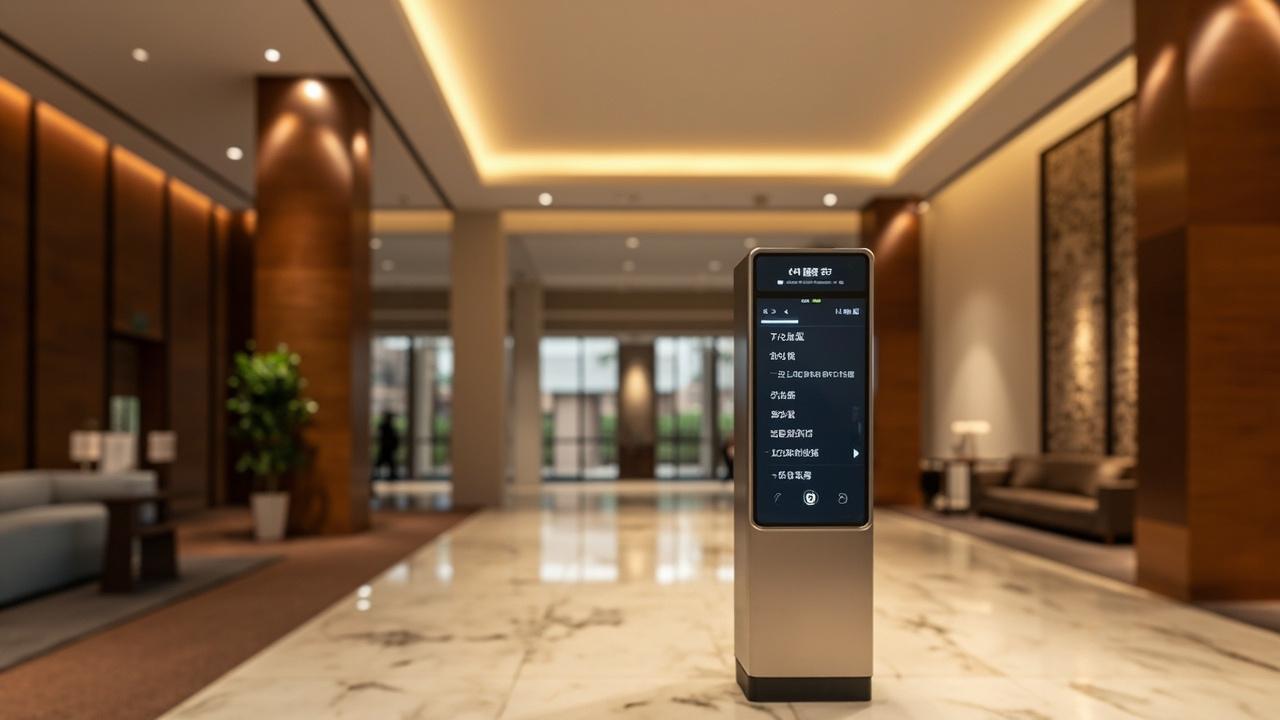
Digital wayfinding answers the five questions that drain every front desk, from the lobby rather than from behind it. This guide covers touch directories and non-touch direction screens, multi-language layouts including right-to-left handling, live function-room data and the hardware decisions a procurement team needs to make per property.
Why Lobby Questions Still Cost Hotels Real Time
Most questions arriving at a hotel front desk are variations of the same five: where is my room tower, where are the lifts, where is today's meeting, where is breakfast and which floor is the spa. Each answer takes seconds. Across a day those seconds add up: reception staff pulled away from check-ins, complaint handling and the loyalty moments a property is actually paid for. Hotels with multi-wing layouts, lower-ground facilities or a busy conference floor feel it most, because guests arrive already unsure where they are; printed directories help only the guests willing to stop and read them.
Digital wayfinding handles the question at the point it arises. Instead of a static board frozen on its print date, screens show what is actually happening in the building right now: today's meeting names, the floor the restaurant sits on, the spa's current opening hours and, on a touch directory, a route drawn from the lobby to the room or facility. For properties balancing walk-in trade, conference volume and international guests, the same screen estate becomes part of the broader signage fleet used across hospitality rather than a one-off kiosk project.
Touch Directories vs Non-Touch Direction Screens
Two form factors cover most hotel layouts and they do different jobs. A touch directory — usually a 42-inch panel in portrait or landscape — lets guests search a room, event or facility and receive a step-by-step route. It belongs in the lobby, near the conference centre or at any node where strangers first pause. A non-touch direction screen, placed at decision points such as lift lobbies, corridor junctions and restaurant entrances, shows floor directories and dynamic room names without anyone needing to stop and interact. It suits higher-traffic positions, groups moving together and guests in a hurry.
Most well-scoped hotel deployments use both: one or two touch points in the lobby, plus a small fleet of non-touch direction screens along the route. Procurement teams should decide per location whether interaction is needed, because touch panels cost more per unit, demand stricter mounting rules and pair with a touch-capable media player that draws slightly more power than a passive non-touch loop. A worked example of how a 42-inch hotel display is chosen sits in our 42-inch hotel digital signage buying guide, and broader context on touch adoption is in the article on why digital signage touch screens are growing.
- Touch directory — search, route and multi-language selection in the lobby or conference entry.
- Non-touch lift-lobby screens — floor directories and venue lists per floor.
- Corridor junction screens — directional guidance at decision points.
- Function-room screens — live room name, event and organiser outside each meeting room.
Deployment Points and Screen Configuration
Screen size, touch option, orientation and player are confirmed per property during the site survey, but typical configuration patterns are well established. The table below summarises the standard set; a hotel may run all of these or a subset depending on layout.
| Decision point | Screen configuration | Wayfinding content |
|---|---|---|
| Main lobby | 42-inch touch directory, portrait or landscape | Search, route, event list and language choice |
| Lift lobby — lower floors | Non-touch slim display | Floor directory and key venues per floor |
| Lift lobby — function floor | Non-touch display fed by live event data | Today's rooms, organisers and arrows |
| Corridor junctions | Smaller non-touch screens | Direction to wings, towers and facilities |
| Restaurant / bar entrance | Non-touch display | Venue name, opening hours and direction |
| Spa / pool / gym junction | Non-touch display | Direction and opening information |
| Conference centre entry | Touch directory plus non-touch overview | Full event list and room routing |
The non-touch and smaller-touch screens typically use compact signage players engineered for 24/7 loop playback, while the lobby touch directory runs on a higher-spec fanless media player to support route rendering and language switching. Both classes of device sit inside the broader commercial signage hardware category, and procurement teams should ask vendors to confirm commercial-grade panels, fanless operation and automatic power-on recovery for every SKU they quote.
Multi-Language Layouts Including Right-to-Left
International guests do not just prefer directions in their own language — building names that are familiar in English become genuinely hard to parse in translation. A strong wayfinding content model offers a language choice on touch screens at the first interaction, and rotates languages on non-touch loops on a short schedule — typically English plus two or three of the property's heaviest source markets.
Right-to-left languages, primarily Arabic and Hebrew but also relevant in mixed-sign Farsi deployments, are handled in the layout itself rather than as a translated string. Arrows mirror, map coordinates reverse, and the content grid reflows to accommodate longer Arabic words and stacked text where needed. Layouts designed from scratch for RTL are noticeably cleaner than English templates with translated text injected afterwards. A useful reference for the wider role of the signage player in this model is the article on why a signage player matters for modern businesses.
CMS, Map Versioning and Live Function-Room Data
Hotels change more often than their printed directories do. Restaurants get renamed, a floor is refurbished, meeting rooms are reconfigured and a temporary event room appears in the middle of a conference. A digital wayfinding system is updated from the CMS rather than reprinted: venues are added or renamed, maps are versioned, and a temporary route around maintenance can be published for a defined window and removed automatically.
Function-room names either flow from the property management or banquet system through an integration, or are managed through a short daily workflow in which the events team confirms the day's rooms. The screens then display the live event name, organiser and timetable instead of a permanent printed sign that reads the same name all year. Permissions keep front-desk staff editing room names while the underlying map stays protected from accidental changes, and the player's local cache keeps guidance available through network outages that should not erase a lobby's wayfinding.
Hardware, Players and Installation
Match player specification to panel class. A 42-inch touch directory needs a fanless player capable of route rendering and live data; a non-touch lift-lobby loop runs cleanly on a compact signage stick. Mixing them up inflates either cost or risk.
Touch units use commercial touch displays mounted at heights approachable to wheelchair users and guests with luggage; the matched fanless player is concealed on board. Non-touch units follow the same reliability pattern — auto power-on after power interruption, watchdog recovery if the loop stalls, and offline playback from the local cache. Installation takes into account step-free routes, the viewing height expected by a mixed public and the lobby's ambient light, with wayfinding content sized to remain legible in bright daytime and evening lighting.
Site survey must include accessibility expectations for each signage position, and procurement teams should require certification documents to be provided per SKU at the qualification stage rather than assumed across a product family. A compact form factor such as an 8"/10.1" desktop interactive kiosk display is often the right reference for smaller decision points, while a 42-inch wall-mounted panel such as the 43-inch wall-mounted interior digital signage display covers the lobby directory position. For properties that want wayfinding on the same screens the room TVs use, a hospitality TV box guide and a player-centric overview of what a digital signage player actually does provide useful cross-reading.
A Procurement Checklist for Wayfinding Signage
A short, evidence-based checklist helps both sides of the quote. Procurement teams should be ready to share a floor plan, the number of wings or towers, the daily events profile, the source-market languages that matter and a clear preference on touch versus non-touch at each location. Vendors should respond with a screen-by-screen bill of materials, a CMS workflow that maps onto the property's events process, and a clear statement of what certifications are confirmed per SKU on qualification.
For properties already operating a television estate, wayfinding players should ideally join the existing management estate rather than run as a parallel fleet; for greenfield sites, a single combined CMS covering in-room TVs, lobby directories and corridor direction screens keeps operating cost down and reduces the number of editors who need to be trained. Confirm that the chosen hardware supports offline playback from a local cache and that the touch directory in the lobby can render step-by-step routes in RTL languages without layout artefacts, and the main procurement risks are contained.
Decision Framework at a Glance
The visuals below convert the criteria discussed above into a simple scoring view you can reuse with your own requirements. Weightings are illustrative defaults for this buying scenario, not measured performance data.
24/7 commercial duty rating
10 · 100% of max
Offline cache reliability
9 · 90% of max
Auto power-on recovery
8 · 80% of max
Touch interactivity quality
8 · 80% of max
Multi-language incl. RTL
7 · 70% of max
CMS workflow fit
7 · 70% of max
Weighted procurement criteria for hotel wayfinding hardware. Illustrative values for planning; not measured benchmark data.
| Panel hardware | 35 | 35% | |
|---|---|---|---|
| Mounting and installation | 25 | 25% | |
| Player hardware | 15 | 15% | |
| CMS setup and training | 15 | 15% | |
| Maintenance and spares | 10 | 10% |
Typical hotel wayfinding deployment budget composition. Illustrative values for planning; not measured benchmark data.
Frequently Asked Questions
Do we need touch screens everywhere?
No. A single touch directory in the lobby usually handles search and language choice, while non-touch screens at lift lobbies and corridor junctions carry directional lists and live event names. Non-touch is often the better choice at high-traffic positions where guests walk past rather than stop, and it costs less per panel.
How do event and function-room names stay current?
Either through an integration with your booking or banquet system that pushes today's rooms automatically, or through a short daily CMS workflow in which the events team confirms the day's names. The screens then display the live event name, organiser and agenda instead of a permanent printed room name. Day-of changes can be applied within minutes.
Which languages can the directories show and is RTL supported?
The content model supports the languages relevant to your guest mix. Touch screens offer a language choice at the first interaction; non-touch loops rotate two or three source-market languages on a short schedule. Right-to-left layouts such as Arabic are handled with mirrored map and arrow logic rather than translated text forced into an English template.
What happens during a network outage?
The last published directory and maps are cached locally on each player, so guidance continues during an outage. Dynamic event updates resume when connectivity returns, and players restart automatically after any power interruption. This is the default behaviour for commercially rated signage hardware; confirm it per SKU during qualification.
Can wayfinding integrate with our existing signage or TV estate?
Yes. The players run your chosen CMS and can join an installed display estate as refresh units alongside existing screens, or be delivered as a complete touch-and-non-touch package with matched 42-inch and smaller panels. Consolidation reduces editors to train, lowers operating cost and removes the need for parallel management tools.
How is accessibility handled in screen placement and routing?
Mounting heights and step-free routing are addressed during the site survey. Touch layouts can prioritise step-free routes as a selectable option for guests using wheelchairs or pushchairs, and the language selection remains accessible without fine motor control. Specific regional accessibility requirements should be named at the scoping stage so they shape both panel positions and the content model.
Next Steps
Ready to turn this guide into a procurement plan? Review the full technical overview for this topic, browse the DataMax Buying Guides library, or contact DataMax engineering with your target configuration, volume and destination market for a scoped RFQ response and sample plan.


